



TL;DR: Most people leave Linktree over money. Taking Linktree's branding off your page costs $168 a year, your own domain isn't on any Linktree plan card, and link routing sits on the $360 Premium plan. On Linkie the page has no branding on the free plan, and a custom domain, smart links, analytics and email collection all come in one $90 a year plan. That's $270 a year less than Linktree Premium. Moving takes a few seconds with the Linktree migrator. Prices read on 3 November 2026.
By Denis Qyra · Last updated 3 November 2026
I work at Linkie, so I'm biased about where you should go. The Linktree numbers below are straight off its pricing page, and you can hold me to them.
Why do people switch from Linktree?
Mostly cost. The things paying users want, a page without Linktree's branding, link routing and full analytics, sit on Linktree's $168 and $360 plans, and a custom domain isn't on any of them.
The branding costs $168 a year to remove

Every free Linktree page carries Linktree's name at the bottom. The cheapest paid plan, Starter at $84 a year, doesn't remove it. "Personalized Linktree" on the Starter card sounds like it might, but the line "Remove Linktree branding" first shows up on Pro, at $14 a month billed annually or $17 month to month. What the free plan includes is in Is Linktree free.
That's $168 a year to stop advertising another company on your own page. Linkie doesn't put its branding on your page on any plan, including the free one.
You want your own domain

None of Linktree's four plan cards lists a custom domain, so your page stays on linktr.ee/yourname. We went through the workarounds people use in Linktree custom domain.
On Linkie, connecting a domain like links.yourbrand.com is part of Plus, which is $9 a month or $90 a year.
You want your latest posts on the page

A list of buttons goes stale. Linkie can show your recent posts as a feed under your links, and each post can send people somewhere different, like the product from that post or the full video. Posts you publish through Publer, or send through the Linkie API, land on the page on their own, and the feed is free. How the posts feed works.
Smart links are a Premium feature

Linktree puts "Link rules and routing" on Premium, which is $360 a year billed annually. Linkie's smart links, which send visitors to different places depending on their country, device or browser, come with Plus at $90.
You want to collect emails

This one's closer. Linktree's free plan has an email and phone sign-up form, and connecting it to a mailing list tool is a Pro feature. On Linkie, email collection is on Plus and sends sign-ups straight to Google Sheets. If a free sign-up form is all you need, Linktree gives you that and we don't.
The price went up in October

Short one. Between 20 and 25 October 2026, Starter went from $6 to $7 a month and Pro from $12 to $14, billed annually. When Linktree raised prices in 2025 it put up a notice page with the date. I couldn't find one for this rise, and I don't know when existing subscribers start paying the new price.
How much does Linktree cost compared to Linkie?
Linkie Plus costs $90 a year and covers what Linktree splits between Pro at $168 and Premium at $360. Linkie's free plan already has no branding, which on Linktree starts at $168. Prices read on 3 November 2026, billed annually.
What you want | Linktree | Linkie |
|---|---|---|
Page without the platform's branding | Pro, $168/year | Free |
Your own domain | Not on any plan card | Plus, $90/year |
Smart links or link routing | Premium, $360/year | Plus, $90/year |
Analytics | Basic on Starter, $84/year. All-time on Premium | Plus, $90/year |
Collecting emails | Sign-up form on Free. Mailing list integrations on Pro, $168/year | Plus, $90/year, with Google Sheets |
Selling products with 0% platform fees | Pro, $168/year | Not available |
Paying month to month costs $108 a year on Linktree Starter, $204 on Pro and $420 on Premium. Every plan, fee and trial is in Linktree pricing.
Add it up for the page most paying users want: no branding, link routing, full analytics and an email list. On Linktree that's Premium at $360 a year, and its plan card still doesn't list a custom domain. On Linkie it's Plus at $90, domain included. Month to month the gap is wider, $420 against $108.
If all you want is the branding gone, the difference is the whole $168.
How do I migrate from Linktree to Linkie?

Paste your Linktree link into the Linktree migrator and Linkie rebuilds the page in a few seconds. You don't copy a single link by hand.
Claim your username on linkie.bio and choose Migrate from Linktree.
Paste your Linktree username or link and click Import.
Check your links and save. Nothing goes live until you do.
Then put your new link in your Instagram and TikTok bios. If you'd rather start clean, skip the migrator and build the page from scratch or from a template.
What moves over from Linktree?
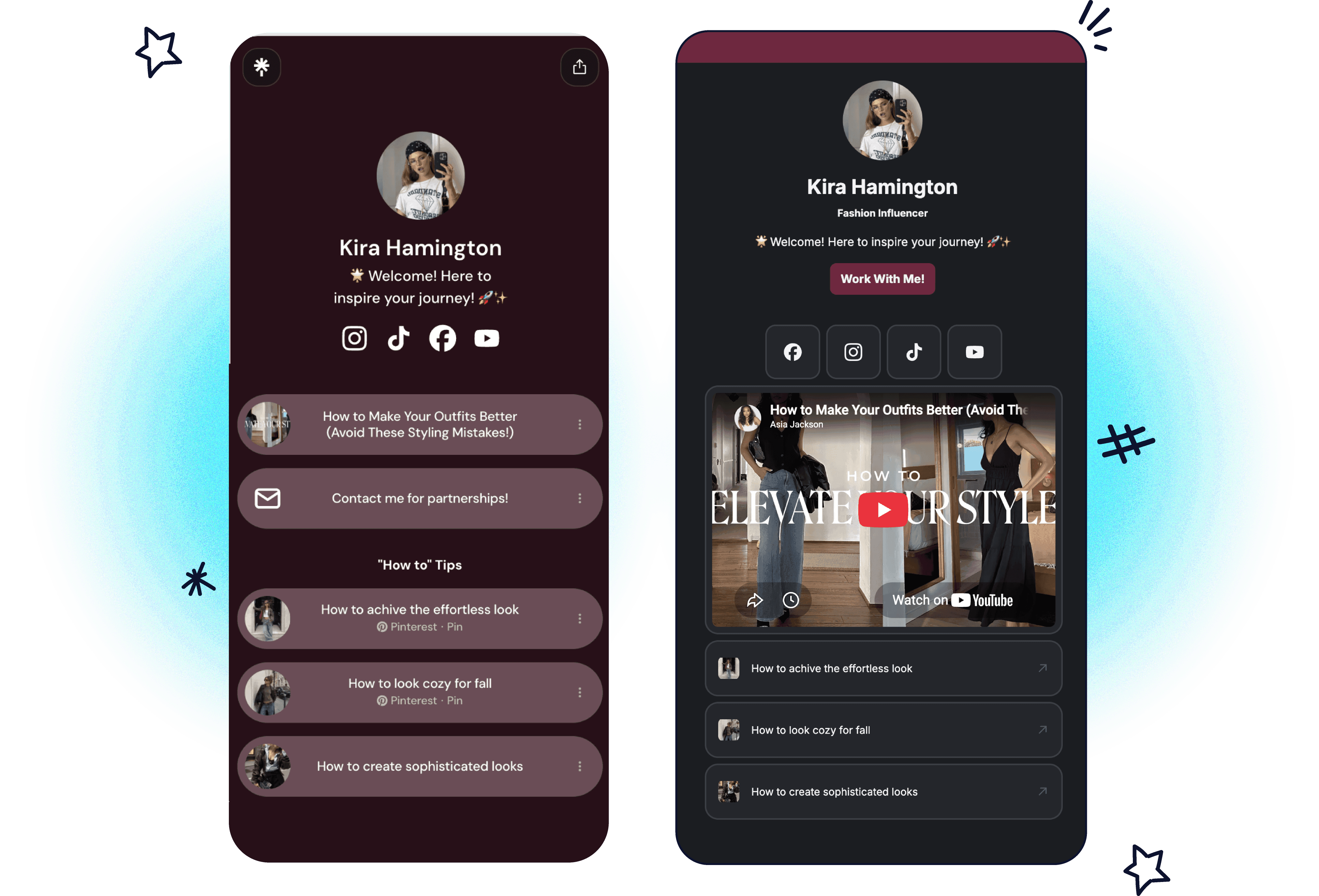
Your name, bio, profile photo, every visible link with its thumbnail, and your social icons move over in the same order. YouTube and Spotify links come in as players people can watch and listen to on the page.
Your Linktree design doesn't come across. Neither do Linktree's selling blocks, like the tip jar, shop, digital products and email signup forms, or your analytics and subscriber list. Nothing on your Linktree account changes.
When should you stay on Linktree?
If you sell digital products or courses through Linktree, stay. Pro gives you a checkout with 0% Linktree fees, and Linkie has no checkout at all.
Same if your page is mostly Linktree's own blocks, like music pre-saves or forms. None of that moves, and rebuilding it elsewhere is a bigger job than moving links.

FAQ
How do I switch from Linktree to Linkie?
Use the Linkie Linktree migrator. Paste your Linktree username, check the draft and save. Your links, bio, photo and social icons come across in a few seconds, and the page has no Linkie branding on the free plan.
How do I switch from Linktree to Beacons?
Your Linktree links are public, so you can rebuild them in the Beacons editor in a few minutes. Move if you sell: Beacons has the better free plan for selling. Removing Beacons' branding costs $300 a year against Linktree's $168, and a custom domain on Beacons is $100 a year (Beacons pricing read on 19 October 2026). Full comparison in Beacons vs Linktree.
How do I switch from Linktree to Stan Store?
Set up your store on Stan and add your links to it. Stan Store is a shop for courses, coaching and digital products, $29 a month after a 14-day trial, so it only makes sense if you sell. Stan removes its branding only on Creator Pro at $99 a month. More in Stan Store vs Linktree.
How do I switch from Linktree to Carrd?
Build a one-page site in Carrd and add your links as buttons. Carrd is a website builder, so it takes longer to set up than a link page, but taking its branding off costs $9 a year. More in Linktree vs Carrd.
How do I switch from Linktree to my own website?
Add a links page to your site and put that address in your bio. It works if you already have a site and someone to keep the page up to date. If you only want your domain on a Linktree page, Linktree custom domain covers the redirect workaround and where it falls short.
Is it free to migrate from Linktree to Linkie?
Yes. The Linkie migrator is free and you can run it before you create an account. The draft becomes your first page when you sign up.
Can I export my links from Linktree?
Linktree lists data export on Premium only. You don't need it to move to Linkie, because the migrator reads your public Linktree page directly.
What if my Linktree uses a custom domain?
Enter your linktr.ee username in the Linkie migrator instead. Only linktr.ee addresses work, and the Linktree page has to be public, without a password or age gate.
Can I keep my Linktree username on Linkie?
Linkie suggests your Linktree username when you save, as long as nobody on Linkie already has it.