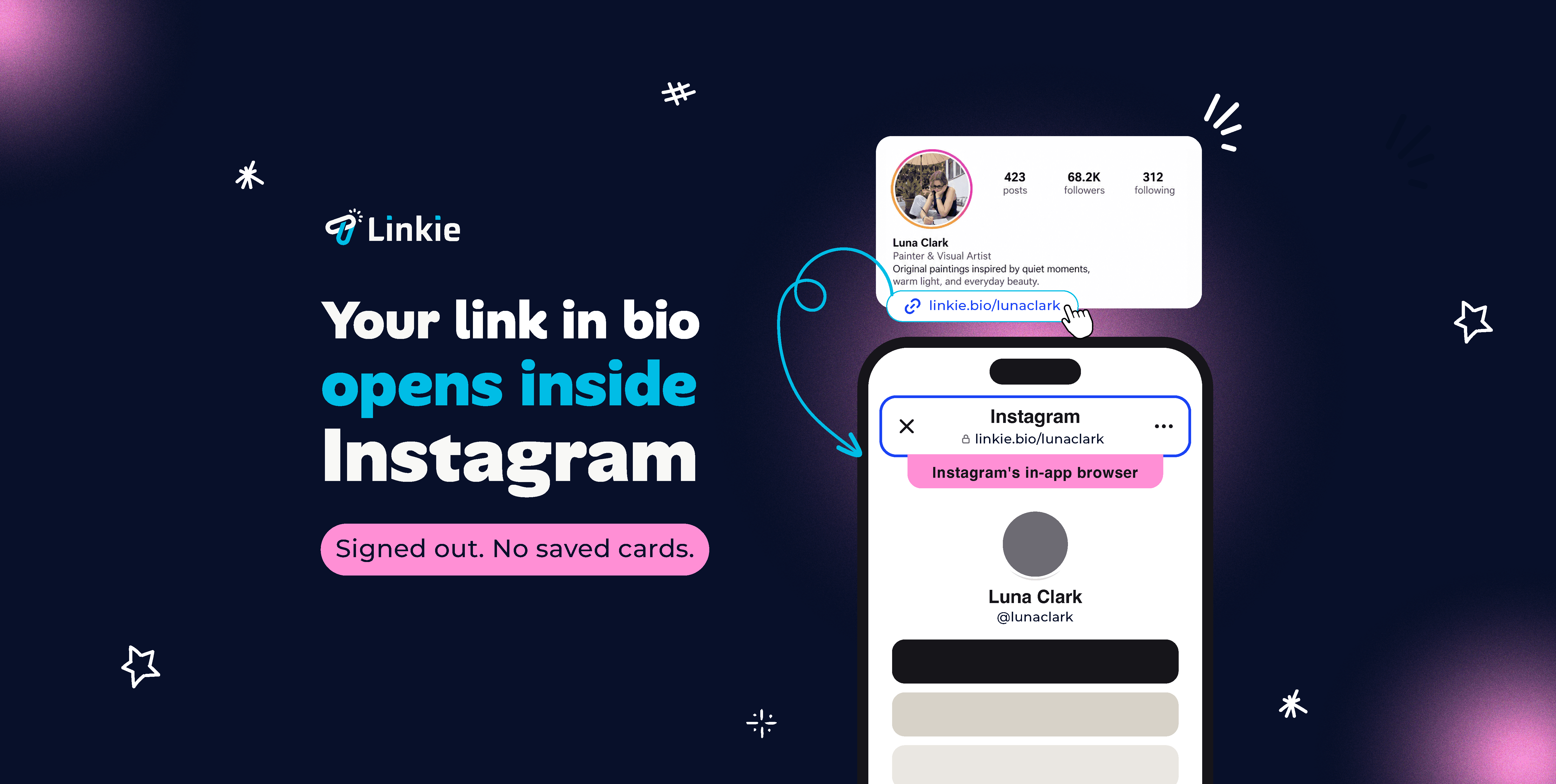







Every major social app opens your link in bio page in their own in-app browser instead of Safari or Chrome. It keeps people one back swipe from the feed, which is the point of it.
The cost lands on you: your Instagram visitor arrives in a fresh browser with no session, no saved cards, and often no campaign tracking.
Linkie offers them a way out, straight from your link in bio page.


Your campaign tracking
UTM parameters, pixels and analytics behave unpredictably inside an embedded browser.
Their logins
Sessions don't carry over. People arrive signed out without knowing.
Their trust
They can't see the full URL and saved passwords don't autofill. People hesitate at exactly the wrong moment.
Their saved payment details
Autofill and stored cards go missing at exactly the moment someone is trying to buy.


Add your links in Linkie
The page, YouTube video, product, or profile you want people to reach.
Turn on "open page in default browser" in your settings.
One switch in your Linkie.bio profile settings. It applies to every link on your page.
Share one link
In your link in bio page, a Story sticker, a DM, or a campaign
Your visitor gets the option to open it in their own browser
This way they bypass the in-app browser from your link in bio.
Linkie's open in default browser feature works across the major platforms like Instagram, TikTok, YouTube, Facebook, Threads, X and more. How it appears varies by app.











TikTok keeps people in its own browser so they keep scrolling.
Your visitor lands on your bio page signed out, without saved cards, and your tracking often doesn’t survive the trip. Linkie Plus gives them a way out, into the browser they actually use.

Common questions
Why is my Instagram link in bio not working?
Instagram opens it inside its own built-in browser instead of your visitor's normal browser. That's default behavior, and only you can change it.
Which apps does this work with?
Instagram, Facebook, LinkedIn, Pinterest, Threads and YouTube. On those, your visitor gets a prompt offering to open the page in their own browser. TikTok, X, Mastodon and Bluesky don't allow that hand-off, so there we show a banner suggesting they open it themselves instead.
Does this work for my TikTok link in bio?
Not the same way. TikTok doesn't allow the hand-off, so instead of a prompt we show a banner suggesting people open the page in their own browser. Same for X, Mastodon and Bluesky. The page still loads either way, so nobody hits a dead end.
Will my link in bio still work if someone stays in the app's browser?
Yes. Your page loads normally either way. Nobody hits a dead end.
Is bypassing Instagram's or TikTok's in-app browser allowed?
Instagram's own browser has an "Open in Safari" option built into its menu. We're offering your visitor the same choice up front instead of making them hunt for it. They tap it or they don't, and the page works either way.
Does my link in bio open in the right browser on iPhone and Android?
Yes, on both.
Do I set this up for each link in my bio page, or once?
Once. It's one switch on your profile and it covers every link on your page, on every app you share to.
Can I use this on my Instagram bio, Story, or TikTok bio?
Yes, all of them. It's one link and you set it up once. In an Instagram bio, Story or DM your visitor gets the prompt. In a TikTok bio the link works fine, they just see the banner instead.
Is this the same as a deep link?
Not quite. A deep link opens a specific screen inside an app the person already has installed. This is about which browser your visitor lands in, their own rather than the one embedded in the social app.