


TL;DR — Linktree is the simplest way to get a working link page live, and the most recognised name in the category. Beacons is built for creators who need the page to earn — selling, email capture, media kits. The honest split: if your bio link only needs to route people, Linktree is enough and Beacons is overhead. If the page has to make money, Beacons does more. Neither is the right answer if what you actually want is a page that looks like your brand rather than a template.
Reviewed 21 August 2026 by the Linkie team. Pricing and plan limits change often on both products — check each vendor’s own pricing page before deciding.
Beacons vs Linktree: The Short Answer
These two are not really competing for the same job, which is why "which is better" has no single answer.
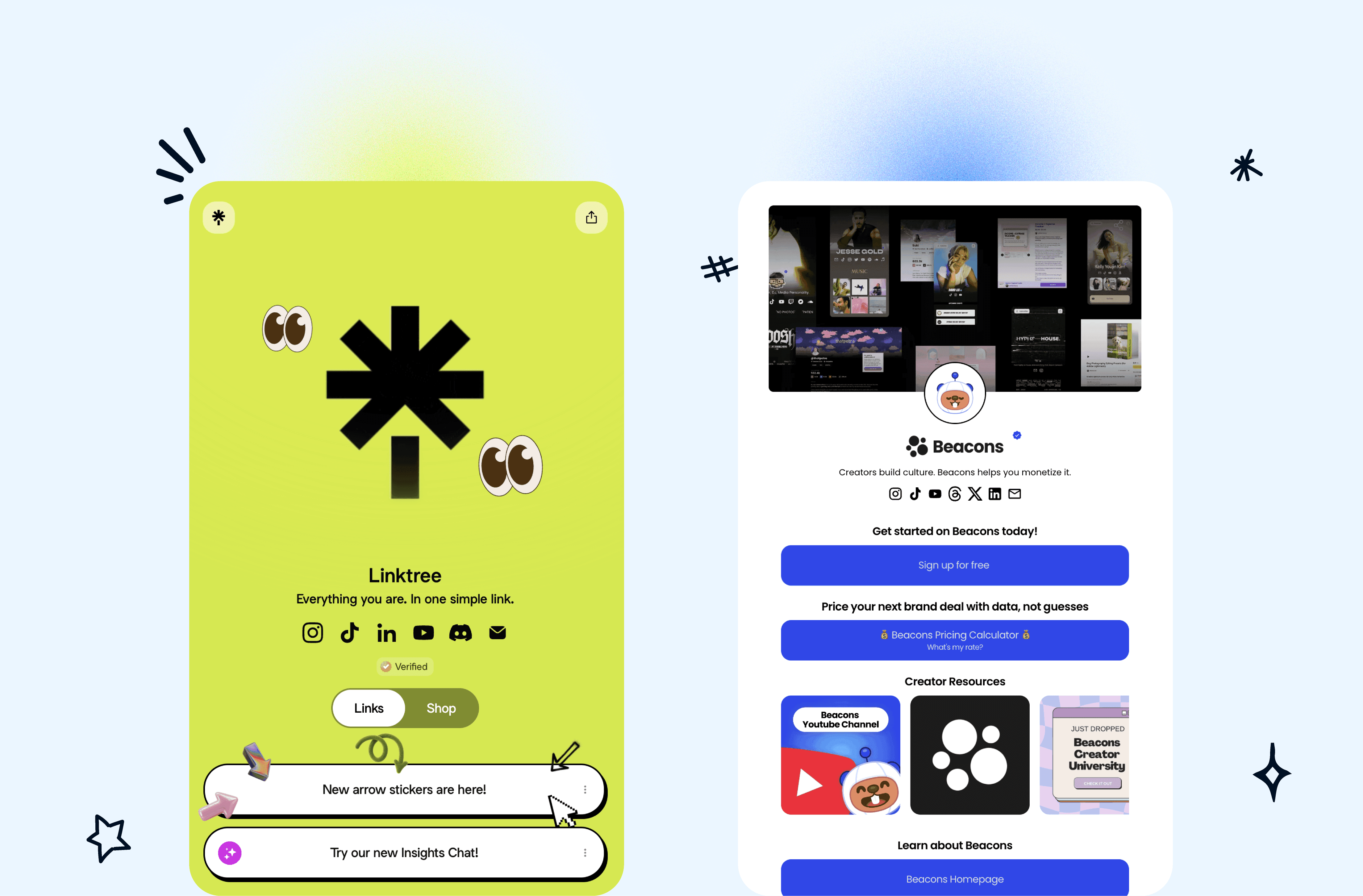
Linktree defined this category and optimises for getting a page live in minutes. Its strength is that everyone recognises it and nothing about it is confusing. Its weakness is the same thing — pages look like Linktree pages, and visitors have learned what those look like.
Beacons targets the creator who treats the bio link as a storefront. The feature set leans toward monetisation: selling products, capturing emails, presenting a media kit to brands. If none of that applies to you, most of it is weight you carry without using.
Who Should Choose Beacons
You sell something directly — digital products, coaching, tips.
You want to build an email list from bio traffic rather than only route it away.
You pitch brands and want a media kit living at the same address.
You would rather have one tool doing five jobs adequately than five tools doing them well.
The trade-off is complexity. A page built to sell has more surfaces to configure, and more ways to end up cluttered. If you are not going to use the commerce side, that complexity buys you nothing.
Who Should Choose Linktree
Your bio link routes people — to a shop, a site, a booking page — and does not need to sell anything itself.
You want it live today with no setup to think about.
You are in a team or client context where a recognised name is easier to justify than an unfamiliar one.
You genuinely do not care that the page looks like everyone else’s.
That last point is the one people underestimate. Recognition cuts both ways: visitors know what a Linktree is, which is reassuring, and also tells them the page is a default rather than a decision.
Beacons vs Linktree: What Actually Differs
Rather than a feature checklist that goes stale in a month, here are the dimensions the choice actually turns on:
What the page is for. Linktree routes. Beacons sells.
Setup cost. Linktree is faster to a working page. Beacons asks more of you up front and returns more if you use it.
Design ceiling. Both are template-led. Neither is where you go if you want the page to carry a distinct brand identity.
Analytics depth. Both report clicks; the question is whether you get enough per-link detail to act on. Check this against your own needs — it is the feature people most often discover they lack after committing.
Lock-in. The more the page does, the more expensive it is to move later. A page that only holds links is trivial to migrate. A page holding your product catalogue and email list is not.
Beacons vs Linktree Pricing
Both run a free tier plus paid plans, and both have changed their limits more than once. Rather than repeat numbers that will be wrong by the time you read this, the three things worth checking on each vendor’s pricing page are the same three that decide most of these:
Does the free plan put the provider’s branding on your page?
Is a custom domain available, and on which tier?
Are analytics on the free plan, or held back?
For the wider picture across the category, see our link in bio pricing guide and the free tools comparison.
Switching Between Them
Moving in either direction is mostly manual: rebuild the links, then update the one URL in your social profiles. The part people forget is everywhere else the old link lives — email signatures, YouTube descriptions, printed material, other people’s posts. Anything you do not control stays pointed at the old page.
This is the argument for a custom domain: if the address is yours, you can change what sits behind it without reissuing the link. If the address belongs to the tool, every migration costs you the links you have already published.
The Third Option Most People Miss
If you have read this far and neither fits, the reason is usually the same: you want a page that looks like your brand rather than a recognisable template, and both of these are template-led by design. That is the gap Linkie was built for — an unbranded page you shape yourself, with per-link analytics and a custom domain so the address stays yours.
Not the right call for everyone. If you want the fastest possible setup, Linktree still wins on that. If you need a full creator commerce stack today, Beacons has more of it. Wider comparison in the best Linktree alternatives.
Beacons vs Linktree FAQ
Is Beacons better than Linktree?
For selling, capturing emails and pitching brands, Beacons does more. For simply getting a clean link page live quickly, Linktree is simpler and that simplicity is the feature.
Is Beacons free?
Beacons has a free tier, as does Linktree. What separates free plans across this category is provider branding, custom domain availability and whether analytics are included — check those three on the vendor’s current pricing page.
Can I use Beacons and Linktree at the same time?
You can, but you should not. Your profile gives you one link; splitting traffic across two pages splits your data and doubles your maintenance for no gain.
Which is better for Instagram?
Both work. The thing that matters more than the choice is whether the page loads cleanly in Instagram’s in-app browser and whether one link is obviously the primary action — see Instagram bio link tools.
Which is better for TikTok?
Same answer, with one addition: TikTok traffic spikes around individual videos, so being able to reorder the page quickly matters more than any feature either one advertises. See best link in bio for TikTok.