

Link in Bio Pricing in 2026: What Linktree, Beacons and Lnk.Bio Actually Cost
Prices checked 24 August 2026. Linktree and Linkie re-checked 30 August 2026.
The 30 second version
Free plans are real, and for a lot of people they’re genuinely enough.
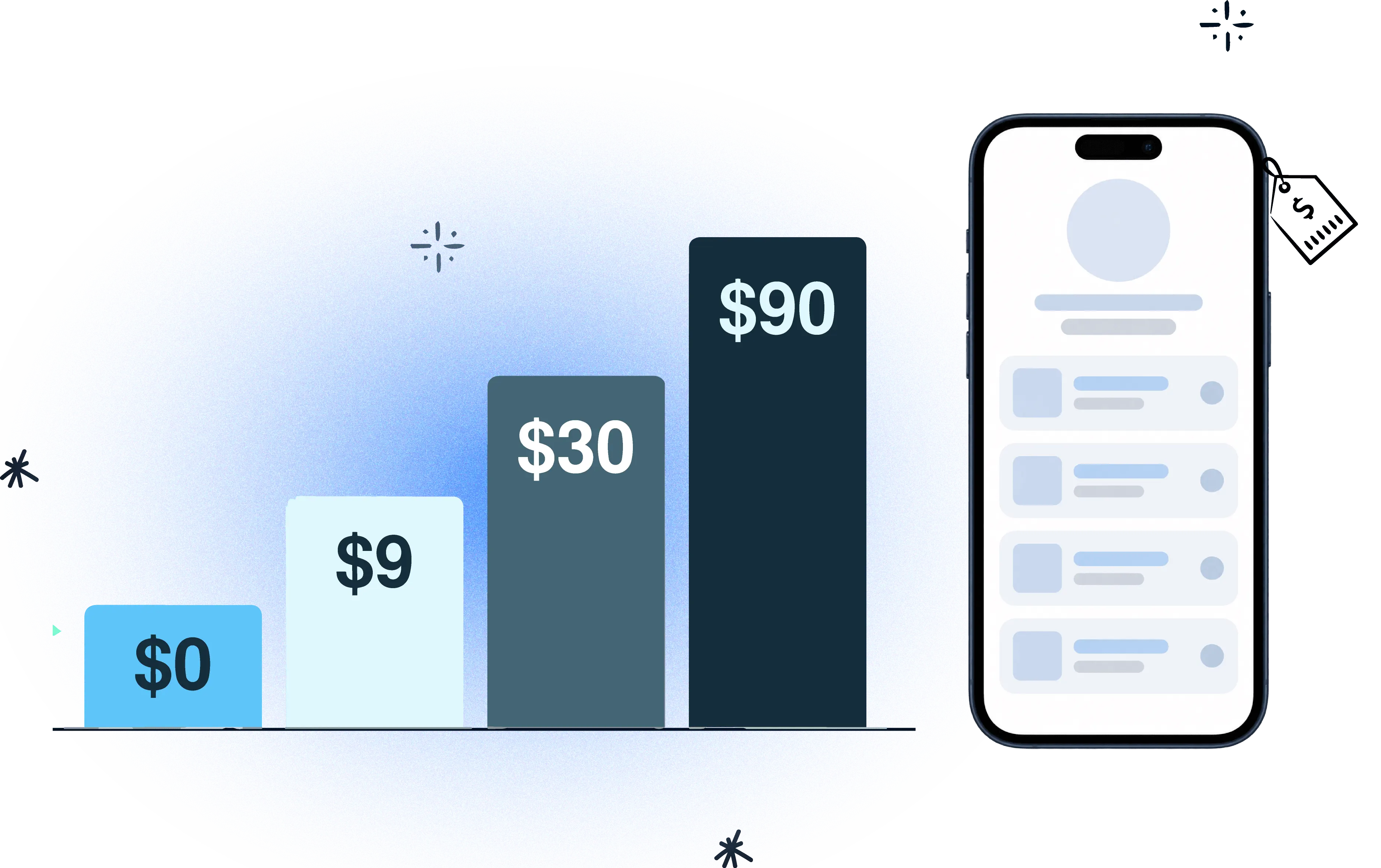
Paid creator plans start at $0.99 and most land between $6 and $30 a month.
$30/month is where seller fees drop to 0% on both Linktree and Beacons.
Smart routing is the biggest price gap in the category — $30/month on Linktree, $9 on Linkie.
Three costs hide off the pricing page: seller fees, add-ons, and removing their logo.
Agency pricing is almost always custom. You have to ask.
How Much Does a Link in Bio Tool Cost in 2026?
A creator does everything right. They go viral on Instagram, TikTok, YouTube.
Then they lose the click at the last step, because the link in bio tool is confusing, or expensive, or the one feature they actually needed sits behind the wrong plan.
Maybe the page feels too limited. Maybe the paywall lands in a strange place. Maybe the pricing table hides the real cost behind a list of features that all sound useful.
Link in bio pricing looks simple from the outside, and it isn’t. There’s a split running through the whole category — freemium, creator subscriptions, business tiers, agency packages — and the numbers jump from pocket change to a serious budget line.
The market has also trained everyone to expect a cheap starting point, which is why people rarely search for the cheapest option. They search for the best one, then get surprised at checkout.
When you post a reel, drop a YouTube video, or update your TikTok bio, that one bio link has to serve all three. That’s where the pricing confusion starts.
One tool looks free until the feature you need is blocked. Another looks cheap until the custom domain costs extra. A third bundles everything into a tier bigger than anything you’ll actually use.
So how do you pick?
Look at what the page has to do for you, and then at what each tool charges to let it do that. If you’re capturing leads, selling products, or sending different visitors to different places with smart links, you’re buying something that should pay for itself. If you just need somewhere to put five links, most of this article won’t apply to you and the free plans will do fine.
A creator selling on Instagram needs more than a button. A brand running several campaigns needs to know where the traffic came from and what happened after it landed.
Link in Bio Pricing Compared, Side by Side
Tool | Free | Entry paid | Mid tier | Top tier | Agency |
|---|---|---|---|---|---|
Linktree | Yes, with restrictions | $6/mo annual · $8 monthly | $12/mo annual · $15 monthly | $30/mo annual · $35 monthly | Custom — ask |
Beacons | Yes | $10/mo | $30/mo | $90/mo | Not offered |
Lnk.Bio | Yes, unlimited links | $0.99/mo | $24.99 one time | $89.99/year | Panel, no public price |
Link in Bio | Yes, unlimited links | $5/mo | $9/mo | $29/mo | Not offered |
Linkie | Yes, forever | $9/mo (1 profile) | $29/mo (5 profiles) | $76/mo (12 profiles) | Published on a slider |
Three things in that table are easy to miss.
Linktree’s prices are annual. The $6 is $8 if you pay monthly, $12 becomes $15, and $30 becomes $35. The pricing page shows you the annual number first.
Lnk.Bio’s middle tier is a one-time payment of $24.99. No subscription, no renewal. It changes the maths completely if you plan to keep the page for years.
And two different companies use nearly the same name. Lnk.Bio and Link in Bio (linknbio.com) are separate products with separate pricing, so check which one you’re actually looking at.
The number nobody puts on the pricing page
Seller fees.
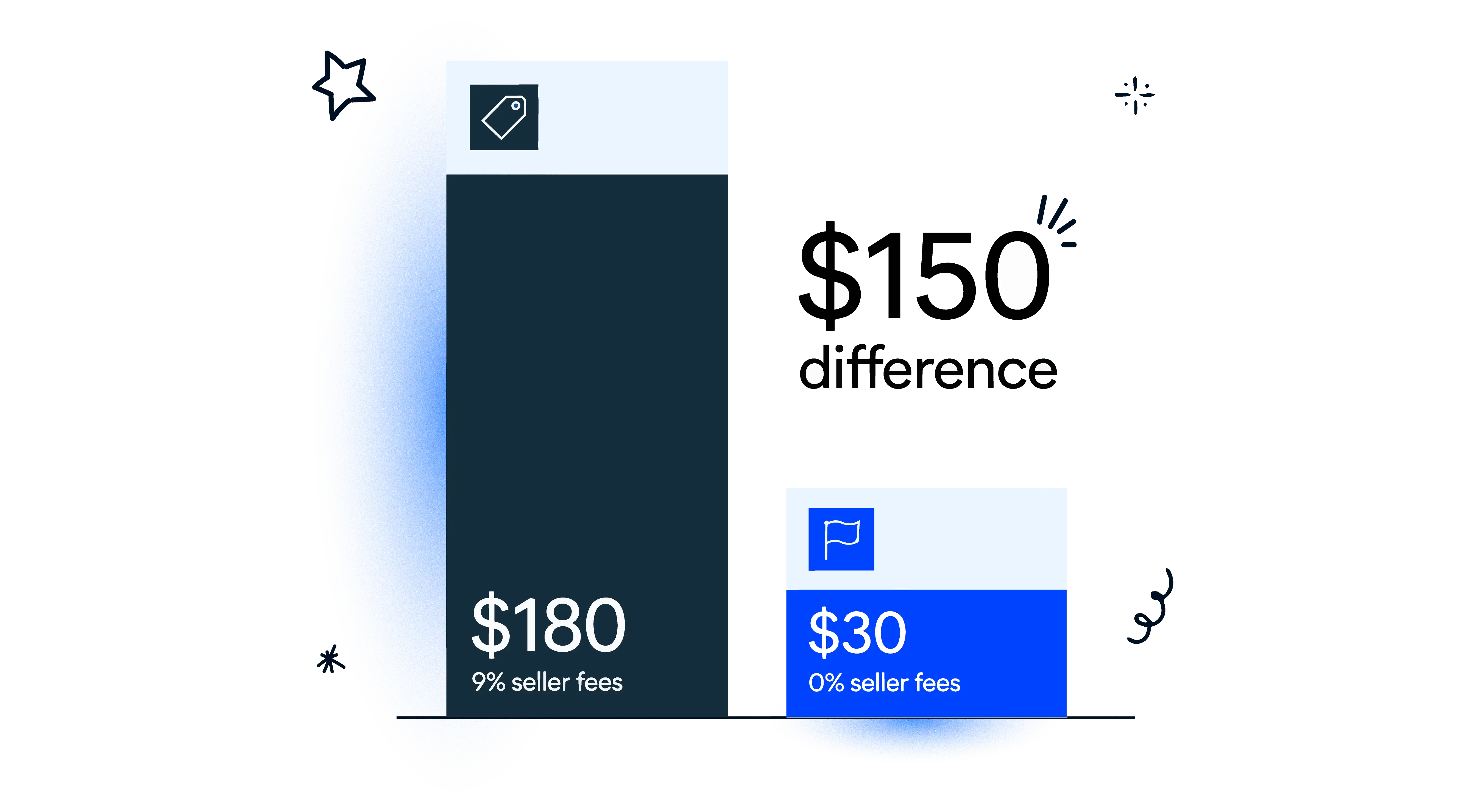
Linktree’s Starter plan takes 9% of what you sell. Beacons’ Free plan takes 9% too. Both drop to 0% at $30 a month.
Sell $2,000 in a month and that 9% is $180. Six months of the $30 plan, gone, on one month’s sales. If you sell anything at all, read the fee line before you read the price line.
Linkie and Lnk.Bio aren’t in that comparison, because neither one is a storefront. There’s no cut of your sales because the sale doesn’t happen on the platform. Worth knowing which kind of tool you’re shopping for before you compare prices at all.
The other one: paying to remove their logo
Most of these tools put their own branding on your page and charge you to take it off.
Lnk.Bio charges $24.99 one time for it. Linktree keeps it on the paid tiers too.
It’s a small thing until you think about what the page is for. You’re sending followers to something that’s meant to look like yours, and the free version quietly advertises someone else. Check where that sits on the plan before you pick, because it’s rarely on the front of the pricing page.
Linkie doesn’t put a logo on your page at all, on any plan, including the free one. There’s a share button, and you can turn that off on Plus if you’d rather. That’s the whole of it.
Linktree Pricing
Free, then $6, $12 and $30 a month on annual billing.
The Free plan gives you unlimited basic links and lets you sell, which is more than it used to. Starter at $6 adds a personalized page and basic analytics, and keeps the 9% seller fee. Pro at $12 is where the analytics get useful and you get mailing list integrations. It’s also the tier that removes Linktree’s branding — the full free-plan breakdown is here.
Premium at $30 takes the seller fees to zero, lets you keep 100% on the affiliate shop, and adds dynamic links and smart routing.
Worth knowing before you settle on Pro: data export, Instagram auto-reply, Instagram DM triggers and the Rules Power-Up are Premium-only. Pro at $12 doesn’t get any of them.
Agency and enterprise is custom. There’s no number, just a contact form.
Is Linktree free? Yes, genuinely, with restrictions. You start paying when you want your own branding, real analytics, or that 9% back.
Carrd isn’t in this guide because it’s a page builder, not a link-in-bio tool, but it’s a cheap way to get a page on your own domain. See Linktree vs Carrd for the numbers.
Beacons Pricing
Free, then $10, $30 and $90 a month. Annual billing gives you two months free.
The Free plan is more generous than most. You get 30 daily AI credits, a media kit that updates itself, unlimited digital products, affiliate links, real-time analytics, and Instagram auto-DM. Same 9% seller fee as everyone else at this level.
Creator at $10 includes a free custom domain, which is cheaper than most of the category gates it.
Creator Plus at $30 removes the seller fees, adds Buy Now Pay Later, lets you keep 100% of affiliate commissions, and takes the caps off courses, memberships and email.
Creator Max at $90 adds Google Workspace, white-glove onboarding, prioritized support, a physical NFC card, and access to their in-person events.
Lnk.Bio Pricing
This one is structured differently from everyone else.
Free gives you unlimited links, basic stats, a QR code and three pages. Mini is $0.99 a month, the cheapest ongoing subscription in the category, and adds scheduling, advanced analytics, pixels, and Instagram and TikTok sync.
Unique is $24.99 once. Not a subscription. It adds a free .bio domain for a year, a newsletter, a contact form, a shop, and removes the logo.
Ultra is $89.99 a year and adds verification, your own existing domain, a booking calendar and AI translations.
Watch the add-ons, though. Blue tick is $2 a month, booking calendar $4 a month, translations $3 a month, custom domain $39.99 a year. Stack four onto a $0.99 plan and you’re not on a $0.99 plan any more.
Linkie Pricing
Two tiers, and the paid one scales by how many profiles you need.
Free is free forever, and it’s a real plan rather than a demo. You get a custom profile, unlimited content cards, drag and drop layout, custom thumbnails on your links, social embeds, a custom banner header, colour styling, and SEO settings. That last one is worth pausing on — most tools in this category treat SEO controls as a paid feature. Linktree puts its SEO settings on Pro, which is $144 a year.
There’s also no Linkie logo on the page, which is the point of the product rather than a perk. Everywhere else on this list, taking their name off your page is something you pay for.
Plus starts at $9 a month for one profile. It adds your own domain or subdomain, full customization, email collection, advanced analytics, the option to hide the share button, and unlimited smart links.
That $9 is where the price gap in this category is widest.
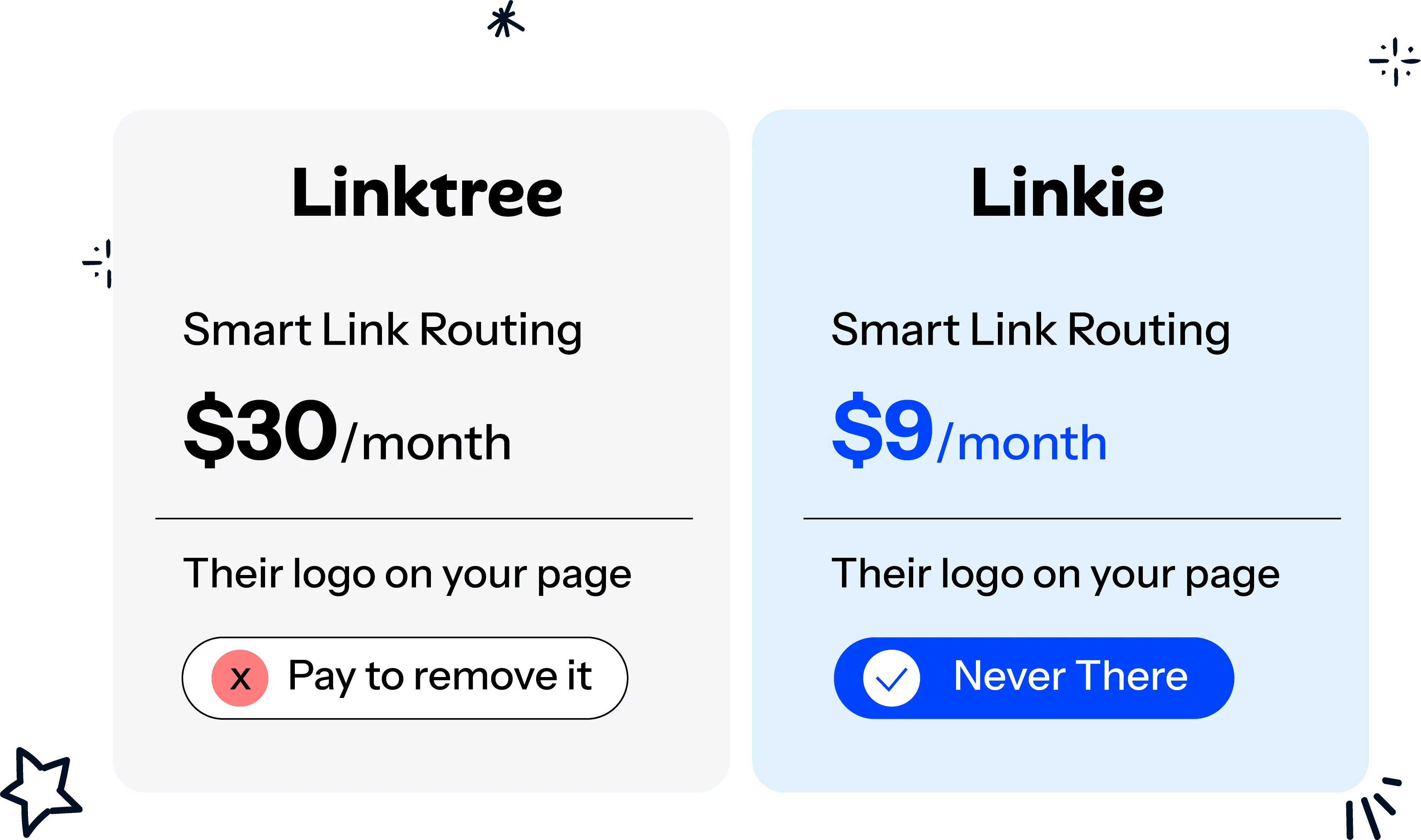
Linktree puts dynamic links and smart routing on Premium at $30 a month. Same capability, and on Linkie it’s in the $9 tier.
If you run more than one page, the slider prices it for you:
Profiles you need | Monthly | Yearly |
|---|---|---|
1 | $9 | $7.50/mo, saving $18 a year |
5 (4 + 1 free in the bundle) | $29 | $24.90/mo, saving $133.20 a year |
12 | $76 | — |
One thing Linkie doesn’t do is sell for you. There’s no checkout, no courses, no memberships. If you need to sell digital products from the page itself, Linktree and Beacons are built for that. If you need routing, several branded profiles, your own domain and proper analytics, this is the cheaper way to get there.
Why Freemium Changed What Everyone Expects
Creators now assume they can start free or close to it, and the whole category has adjusted around that.
Lnk.Bio shows the logic in public. A free plan with unlimited links, a Mini tier at $0.99 a month, and a one-time Unique tier at $24.99.
A price that low works like a sample tray in a shop. It lets a creator, an artist or a musician test the thing properly before committing to anything.
What Makes the Price Go Up
Paid plans climb when the platform starts doing more than storing links. Four things drive most of it.
Custom domains. A generic platform URL looks like rented space. Custom domains show up as an upgrade trigger nearly everywhere, and some tools sell it separately instead — Lnk.Bio charges $39.99 a year for it, Beacons includes it at $10 a month. The domain doesn’t create conversions on its own. It removes a bit of friction, and that matters most when the link sits in a paid ad, an email or a partnership.
Analytics. A click total tells you something happened and nothing else. Deeper reporting shows where the traffic came from, what it clicked, and whether anyone kept moving after the first tap.
Selling. E-commerce integrations, checkout, courses, memberships. This is usually the same tier where the seller fee drops, so the jump is bigger than it looks on the price alone.
Multiple profiles and white-label. Agency buyers pay for coordination more than design. One account managing several brands needs permissions, organisation and clean handoffs, so the price moves with the number of profiles. White-label goes further again, because the platform has to disappear from the customer’s view entirely.
A cheap plan can end up being the expensive one if it forces your team to assemble analytics, branded routing and reporting by hand.
Why Agency Pricing Jumps So Fast
Agency pricing runs on completely different logic.
Multi-account bundles where one team manages a lot of creators. White-label work. Dedicated management. Coordination costs and account complexity that simply don’t exist when it’s one solo creator, one small business, or one musician.
Most agency pricing here is custom. Linktree doesn’t publish a number, it’s “get in touch”. Lnk.Bio runs a multi-account panel with no public price. Beacons doesn’t offer an agency tier at all. So you can’t really compare agency tiers from a pricing page, because mostly there isn’t one.
Linkie is the exception — the slider on its pricing page tells you what twelve profiles cost before you talk to anyone. Whether that matters to you depends on how much you enjoy sales calls.
That gap is why a multi-account setup looks expensive at first glance. Compare it against the labour it replaces, though. For an agency serving several clients, one platform that centralises publishing, reporting and brand control usually costs less than stitching separate tools together and doing the rest by hand, per client, every month.
What You Get at Each Tier
Read a pricing table from the bottom up. Start at the free plan, ask what job it’s meant to do, then follow each upgrade trigger.
Free plans cover the basics for someone still testing the format. One profile, a set of links, limited layout control. The real limit is measurement — they tell you clicks happened, and stop short of telling you what people did next. If the page is just a place to park links, free is fine. Once it carries leads or revenue, the missing reporting starts to cost you.
Creator plans add the custom domain, the proper analytics and a way to sell. This is easy to miss if you only compare plan names, so the better question is whether the added tools help the page pay for itself. A creator who can trace a visit through to a sale gets more out of the same traffic.
Business and enterprise plans are built for teams treating the page as part of how they operate. More control, deeper reporting, several brands under one roof. The question isn’t the headline price, it’s whether one workspace replaces separate logins, scattered reports and brand management done by hand.
Before paying for an upgrade, ask what it actually does for you. Does it help you make money, understand your traffic, or get visitors to the right place? If it doesn’t do one of those, you might be paying for decoration.
Which Plan Fits You
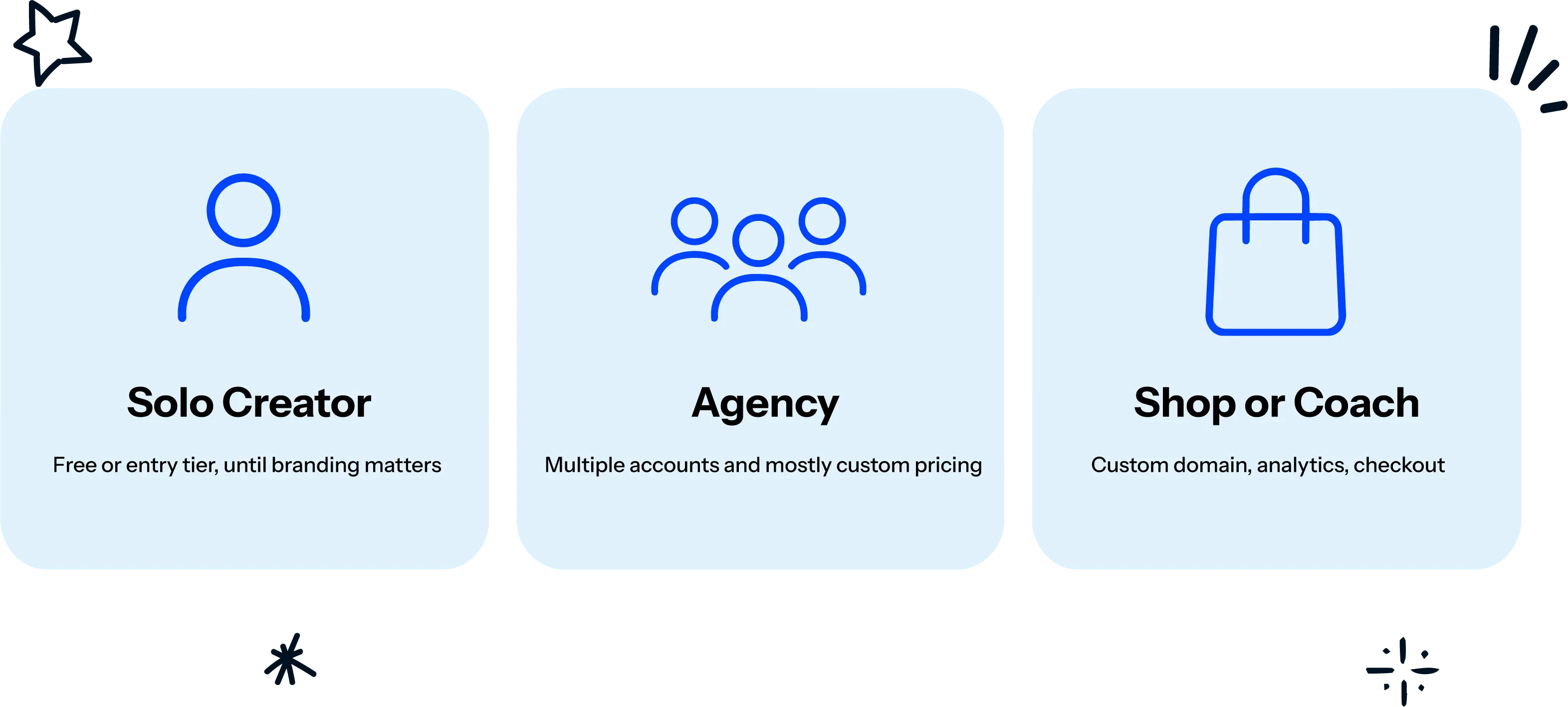
Solo creators usually don’t need a big plan at the start. If the page points to a YouTube channel, a newsletter and a shop, a free or entry tier holds until branding or analytics start to matter. The common mistake is paying for a business tier because it sounds more serious, while the page is still just a signpost. The Linkie plans page lays out what each tier includes.
Agencies and social teams pay for order as much as features — account bundles, clear permissions, reporting that explains results to a client without someone rebuilding it by hand every month. A multi-account plan is still usually cheaper than a separate subscription per client.
Shops, coaches and startups care about conversion, so custom domains, analytics and commerce support are easy to justify. The page has to do real work rather than sit in a bio.
Free vs Paid: Where the Savings Actually Are
Do the annual maths first. Linktree’s whole pricing page is built on annual rates and monthly costs 25–33% more. Beacons gives you two months free on annual. Either only helps if you already know the tool fits.
Add up the add-ons. Four small ones can outprice a mid tier.
Check the seller fee before the subscription fee. A 9% cut is a bigger number than any plan in this article, the moment you sell anything real.
Compare what’s gated, not how many features are listed. A custom domain and working analytics matter more than how many links you’re allowed.
Use the free plan to test properly. Good for setup and experiments, not always enough for conversion work. The Linkie free plan is a reasonable place to start.
Free plans make it easy to start. Creator plans are mostly about branding, analytics and selling. Once you get into agency territory, you’re paying for managing multiple accounts and keeping everything organised.
Build a free page, put a few real links on it, and see whether the layout and the analytics actually help your audience move.
Common Questions
Is Linktree free?
Yes, with restrictions. Unlimited basic links and the ability to sell, but a 9% seller fee and no custom branding. You start paying when you want your own domain, real analytics, or that 9% back.
How much does Linktree cost?
$6, $12 or $30 a month on annual billing. Monthly is $8, $15 and $35. Agency and enterprise is custom.
What is the cheapest link in bio tool?
Lnk.Bio’s Mini plan at $0.99 a month is the lowest ongoing subscription among the major tools. Cheapest and best value are different questions though, so check what’s gated before you decide.
Is a one-time or lifetime deal always cheaper?
No. It only wins if the current feature set is enough for the long run. Lnk.Bio’s $24.99 Unique tier is a genuine one-time payment, but if you later need stronger analytics or account management, a cheap one-off stops being relevant.
Why is monthly so much more expensive than annual?
Because most pricing pages advertise the annual rate. Linktree’s Pro is $12/mo annually and $15/mo monthly — 25% more for the flexibility to leave.
When does an agency bundle pay off?
When separate accounts would cost more time and money than one managed package. Usually that means several clients needing reporting, brand control and coordinated updates from one system. Managing one profile? A bundle is overhead you don’t need.