


TL;DR — Instagram bio conversion comes down to one sentence and one page. The bio has to say what the visitor gets, not who you are, and the page behind the link has to offer one obvious next step instead of a menu. The seven tips below are in the order worth doing them. See also how to get more clicks from your Instagram bio and how to optimize your link in bio.
Reviewed 21 August 2026 by the Linkie team.
Your Instagram Bio Is Leaking Money. Here's How to Fix It.
Most Instagram advice is obsessed with reach, posting cadence, and follower growth. That's not where many profiles fail. They fail after the visit.
Instagram gives accounts only 150 characters to communicate value, which is exactly why weak bios underperform. A vague title, a lazy “link below,” and a cluttered bio page can waste high-intent traffic that was already interested enough to tap the profile. Independent 2026 guidance also notes that an optimized bio can raise profile-to-follower conversion rates by up to 40%, but the bigger point for businesses is simpler than that. Small changes in a tiny space can change what happens next.
The profiles that convert don't act like digital business cards. They act like guided funnels.
The clean version looks like this. Profile → Bio CTA → Link-in-bio page → Single conversion goal.
That path sounds obvious, but most brands break it in three places. They describe themselves instead of the outcome. They ask visitors to choose between too many links. They send traffic to a page that wasn't built for mobile decisions. These Instagram bio conversion tips focus on fixing those leaks so profile visitors become subscribers, customers, leads, and buyers.
1. Rewrite Your Bio from a Who You Are to a What They Get
Instagram bios fail for a simple reason. They read like labels, not conversion copy.
“Founder.” “Creator.” “Coach.” “Digital marketer.”
A profile visitor already knows they landed on a person or brand page. What they need to know next is what they get if they stick around, click, or buy.
Lead with the benefit
The strongest bios do three jobs in a few lines. They state the outcome, signal who it is for, and add enough credibility to make the claim believable. That format works especially well because the bio has so little room to work with.
Here's the shift that raises clicks:
Weak bio: “Digital Marketing Consultant”
Better bio: “Helping SaaS founders get more demo requests from organic social”
Weak bio: “Fitness Coach | Online Programs”
Better bio: “Helping busy professionals build strength with short home workouts”
Weak bio: “Jewelry Brand”
Better bio: “Minimal everyday jewelry for women who want polished outfits fast”
The stronger version gives the visitor a result, a fit, or a reason to care. Usually all three.
Practical rule: If the bio only describes you, it is not finished.
Often, brands lose intent. They use precious characters on job titles, vague identity statements, or clever phrasing that sounds good in a brainstorm and says nothing on a profile. Clarity beats personality at this stage. Personality helps after the visitor understands the offer.
A creator selling templates should say what the templates help people do. A musician should say what fans can expect, not just the genre. A local service business should name the problem it solves and the type of customer it serves.
If you want the next step to match the bio promise, this guide on how to optimize your link in bio is a useful companion.
Before-and-after bio rewrites
A few rewrites show the pattern fast:
Coach: “Business coach for women” becomes “Helping consultants turn expertise into premium offers”
E-commerce brand: “Clean skincare” becomes “Fragrance-free skincare for sensitive, acne-prone skin”
Agency: “Social media agency” becomes “Helping restaurants turn Instagram traffic into bookings”
There is a trade-off here. A broad bio can attract more curiosity clicks, but it usually brings lower-quality action. A specific bio filters harder, yet the people who do click are more likely to convert. For businesses that care about leads, email signups, and sales, specificity wins.
2. Craft a Single, High-Converting Instagram Bio Call-to-Action
Most bios don't have a CTA problem. They have a commitment problem.
They ask people to “check out the link” because the account owner hasn't decided what matters most. That vagueness kills action.
A bio CTA should tell visitors exactly what to do next, and it should match the destination. If the CTA promises a free guide, the first thing on the bio page should be that guide. If it offers a booking call, the page should lead with booking.
A simple visual cue helps too. One directional emoji is usually enough. It creates scan order without making the bio look juvenile.
Here's what that looks like in practice:
Weak CTA: “Link in bio”
Stronger CTA: “👇 Get the free meal prep guide”
Weak CTA: “Work with me”
Stronger CTA: “👇 Apply for 1:1 coaching”
Weak CTA: “Shop now”
Stronger CTA: “👇 Shop the summer drop”
A CTA isn't decoration. It's instructions.
A mobile-first example helps show the difference:

Match the CTA to the traffic moment
The best time to swap a bio link isn't after traffic shows up. It's before the spike. Brands should update the CTA and destination before publishing a Reel, launching a product, sending an email, or running paid traffic. Otherwise, the highest-intent visitors hit an outdated page.
This matters even more when campaigns change fast. A creator promoting a webinar shouldn't leave a generic evergreen page at the end of the funnel. A fashion brand pushing a limited drop shouldn't bury it under old links.
The biggest gains usually come from reducing friction and making the primary CTA impossible to miss.
What doesn't work is stacking CTAs in the bio itself. “Shop, subscribe, listen, book, download” forces the visitor to decide too early. One profile. One instruction. One next step.
3. Structure Your Instagram Link-in-Bio Page to Guide, Not Overwhelm
A crowded link-in-bio page kills intent faster than a weak bio line.
Instagram visitors do not arrive ready to study your entire business. They tap because something in the profile promised a next step. If the page shows six equal options, old campaigns, and a few random side links, the click loses momentum. That means the bio link is the account's conversion gateway, and the page has one job: make the next action easy to choose.
Put the main offer at the top
The top section should answer one question immediately: what should this visitor do now?
A practical structure looks like this:
Primary action first: The first card or button should match the bio CTA word for word.
Support links second: Add proof, FAQs, or a demo below the main action.
Everything else last: Press mentions, older content, social channels, and low-intent links belong lower on the page.
That order sounds obvious. It is also where many profiles fail. They put the newsletter, podcast, shop, booking page, and freebies on the same visual level, then wonder why none of them convert well.
For example, a coach driving traffic from educational Reels might structure the page like this:
Apply for 1:1 coaching
See client results
Read FAQs
Listen to the podcast
A creator selling a digital product might use:
Get the template bundle
Watch the demo
Read reviews
Browse free resources
Linkie works well for this because it supports more than a plain stack of identical buttons. The guide on how to create a high-converting link in bio shows how layout, spacing, and featured sections can direct attention.
Remove decision fatigue
Visitors scan. They do not compare every option carefully.
Three mistakes show up again and again:
Equal visual weight on every link: If everything looks important, the visitor has to do the sorting.
Competing conversion goals: A page trying to sell a course, collect email signups, book calls, and push affiliate links usually underperforms on all four.
Broken message match: A CTA promising “Get the guide” cannot send people to a generic homepage or a cluttered link hub.
The fix is restraint. Keep one primary goal per traffic moment, then let secondary links support that goal instead of competing with it.
If a launch is live, the product goes first. If lead generation is the goal, the email offer goes first. If sales calls are the priority, booking goes first. Good bio funnels do not give every offer equal airtime. They rank offers by business value and visitor intent.
4. Use Highlights as a Supporting Conversion Asset
Many profiles treat Highlights like storage for random stories. A better use is pre-selling the click.
Highlights can answer objections, show proof, and give visitors enough confidence to take the next step. They work best when they support the bio CTA instead of competing with it.
A profile that sells a service should not have Highlights named “Vibes,” “Stuff,” and “Fun.” That might be charming, but it doesn't help someone decide.

Build Highlights around objections
Useful Highlight sets tend to follow buyer questions.
For different account types, that often looks like this:
Coach or consultant
Results: Screenshots, outcomes, testimonials
Method: How the process works
Book: What happens after inquiry
E-commerce brand
Reviews: Customer reactions and product feedback
How to use: Demos, fit notes, styling help
New: Current collection or launch story
Musician or creator
Start here: Best work or intro
Press or praise: Mentions, reactions, community feedback
Tour or drops: Current campaign focus
Highlights should function like a trailer, not an archive.
Keep them aligned with the bio goal
If the bio CTA is “Book a strategy call,” the Highlights should reduce booking resistance. If the CTA is “Shop the drop,” the Highlights should show product use, reviews, and common questions.
What doesn't work is treating Highlights as a side quest. A visitor who checks them is signaling interest. That interest should be rewarded with clarity, not clutter.
The strongest profiles use Highlights to make the eventual click feel safer and more obvious.
5. Capture Emails Directly on Your Bio Page
A social follow is useful. An email address is more durable.
Instagram traffic is valuable, but it sits on a platform the brand doesn't control. Email collection gives creators, agencies, coaches, and stores a way to keep the relationship after the profile visit.
The mistake is sending visitors through too many steps. Bio link to homepage. Homepage to pop-up. Pop-up to offer. By then, many people are gone.
Reduce the number of taps
If the main conversion goal is list growth, the bio page should collect the email right there. Native email capture forms remove a step, which usually improves completion because the visitor doesn't need to load another page or re-orient to a new layout.
This approach works especially well for:
Coaches: Free worksheet, mini training, waitlist
Creators: Newsletter, content vault, template pack
E-commerce brands: Early access, product reminders, welcome offer
SaaS startups: Beta access, demo request, resource list
A strong lead magnet is specific. “Join the newsletter” is weak. “Get the caption framework” is clearer. “Get the packing checklist” is clearer. “Get launch updates” can work when the audience already wants the thing.
Keep the ask narrow
The form should ask for as little as necessary. Usually that means email only.
A local studio offering class updates doesn't need a long intake form on the bio page. A product brand collecting launch interest doesn't need job title, company size, and budget. Extra fields add friction before trust exists.
For brands using Linkie, email collection can sit directly on the page rather than behind another landing page. That's useful when the goal is speed. The profile visitor sees the offer, enters an email, and moves on without losing momentum.
What doesn't work is mixing list-building with too many parallel offers. If the page asks visitors to subscribe, shop, watch, and book all at once, email capture loses focus fast.
6. Weave in Social Proof to Build Instant Trust
People rarely convert from an Instagram profile on copy alone. They convert when the message feels credible.
That credibility doesn't need to be loud. It needs to be fast. A short proof point in the bio and a stronger layer of proof on the bio page usually does the job.
The simplest social proof is often enough:
Credentials
Recognizable clients
Press mentions
Customer reviews
User-generated content
Demonstrations of results
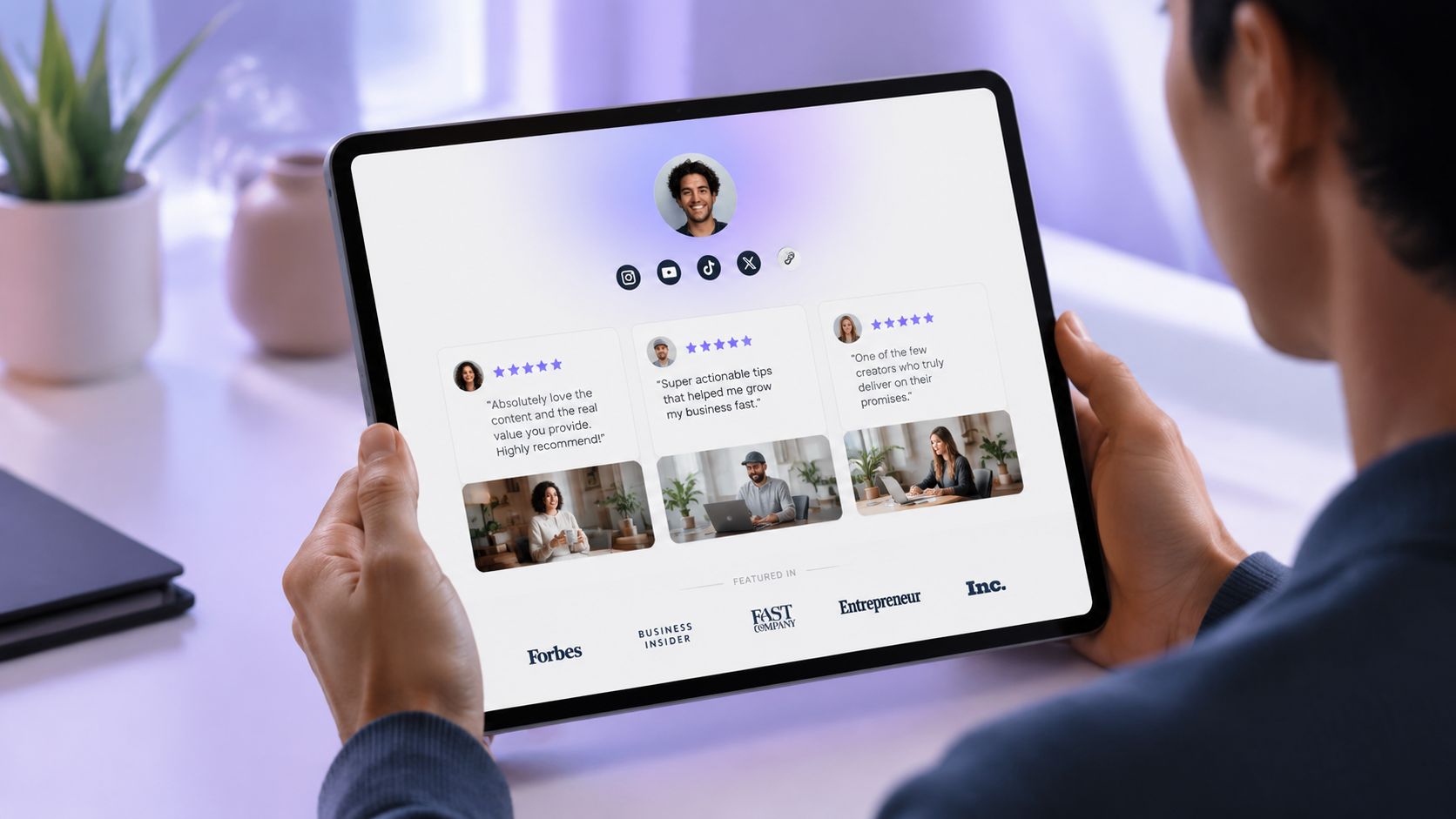
Use proof where doubt appears
A good rule is to place proof near decision points.
If the top card asks visitors to book, add testimonials or authority markers directly underneath. If the main offer is a product, place reviews or customer photos near the product card. If the page promotes a digital download, a short preview or a note about who it's for can reduce skepticism.
Examples:
Service provider bio: “Helping founders improve demo requests | Featured speaker | 👇 Apply”
Product page support: review cards, product demo video, short FAQs
Musician funnel: embedded music clip, press quote if verified, recent show footage
Trust usually breaks before the click, not after it.
Keep proof specific and relevant
Random praise isn't as useful as proof tied to the exact offer.
A freelance designer selling brand audits should prioritize audit-related testimonials, not generic compliments about being “great to work with.” A skincare brand launching one serum should feature reactions to that serum, not broad praise for shipping speed.
What doesn't work is fake polish. Stock-looking testimonials, walls of logos with no context, and generic “trusted by many” language feel thin. Social proof should support the offer, not distract from it.
7. Use Link in Bio Analytics to Stop Guessing and Start Optimizing
A bio funnel that never gets reviewed usually stalls. The profile looks fine, the links are live, and conversions stay flat.
The fix is simple. Track the path from profile visit to click to conversion, then adjust one point in that path at a time. That is how you turn Instagram traffic into leads, subscribers, or sales instead of collecting vanity metrics.
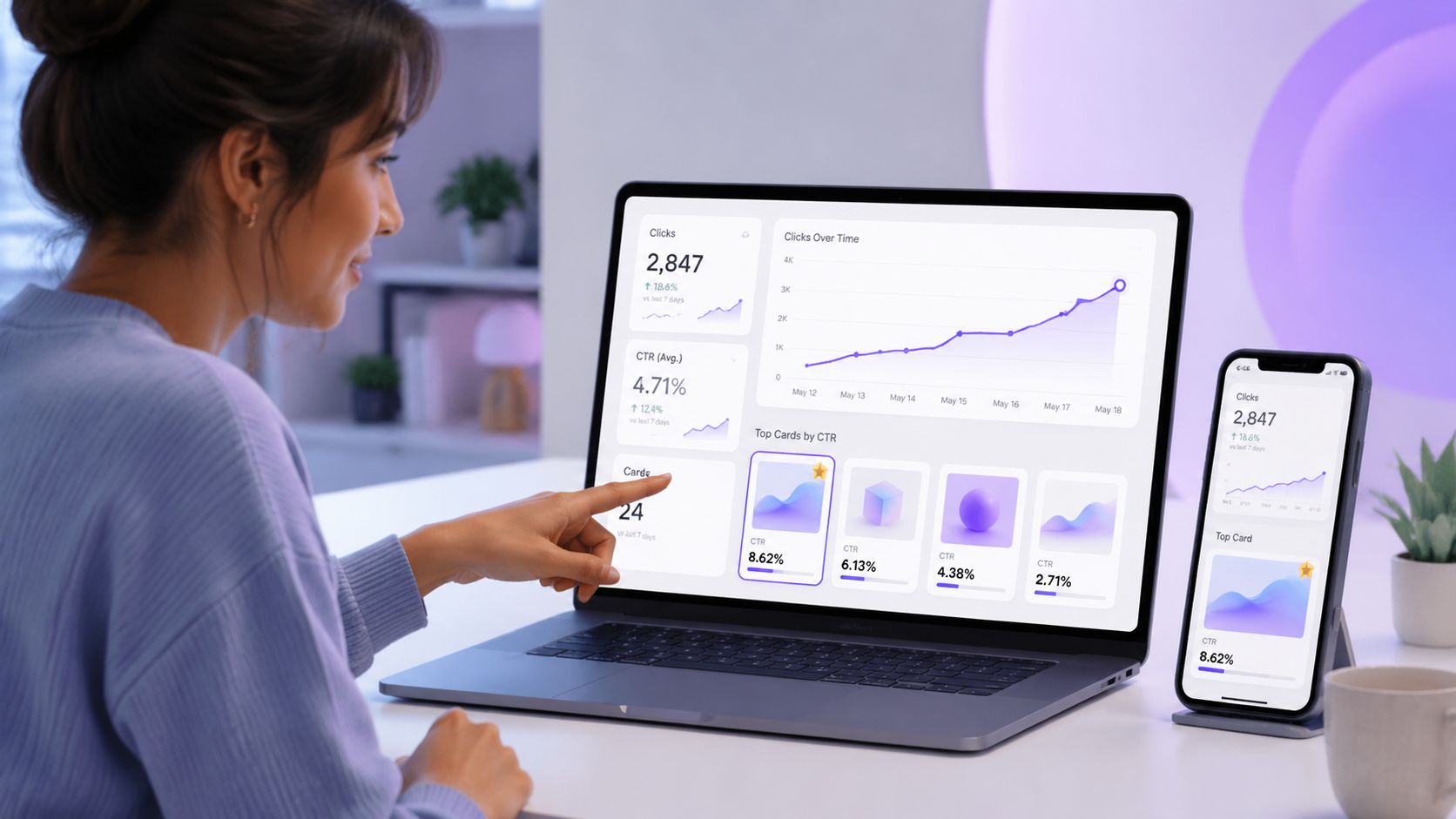
Watch the numbers that affect revenue
Follower growth can be useful for reach. It does not tell you whether the bio is doing its job.
The numbers that matter are closer to the action:
Profile visits to website taps: shows whether the bio copy and CTA create enough intent to earn the click
Top clicked cards: shows which offer people want first, not which offer you hoped they would want
Ignored cards or low-scroll areas: shows where attention drops on the bio page
Traffic source and campaign fit: shows whether your Reels, Stories, or promos are sending people to the right destination
If you use Linkie, bio page analytics for clicks, page views, and traffic sources makes this easier to diagnose. You can usually spot the bottleneck fast. Low profile clicks point to a bio or CTA problem. Strong clicks with weak page engagement point to page structure or offer mismatch.
Change one variable, then wait long enough to judge it
Random edits create fake progress. I see this often. Someone rewrites the bio, swaps the CTA, changes the lead magnet, and rearranges the page in the same week. If clicks improve, there is no way to know why.
Use a tighter testing rhythm:
Week 1: rewrite the bio promise
Week 2: keep the bio, change the CTA
Week 3: keep both, reorder the top cards
Week 4: keep the layout, test the offer or opt-in hook
This takes more restraint than a full refresh, but it produces better decisions.
Your Instagram bio is operating copy, not brand decoration.
Optimize for the full funnel, not just the first click
A high click-through rate can still hide a weak funnel. If people tap the link but do not book, buy, or subscribe, the problem sits after the bio. That trade-off matters. A curiosity-driven CTA can raise clicks and lower conversions because it attracts less qualified visitors.
Judge changes by downstream results. If a simpler bio gets fewer taps but more email signups, keep it. If a louder CTA gets more taps and worse sales quality, cut it. The goal is measurable action from the traffic you already have.
7-Point Instagram Bio Conversion Comparison
Strategy | Implementation complexity | Resource requirements | Expected outcomes | Ideal use cases | Key advantages |
|---|---|---|---|---|---|
1. Rewrite Bio: 'Who You Are' → 'What They Get' | Low, simple copy change | Minimal, time to audit and rewrite | Clearer value prop, higher link clicks | Any profile needing clearer messaging (creators, coaches, founders) | Immediate impact; fast to implement; visitor-focused |
2. Craft a Single, High‑Converting CTA | Low–Medium, needs goal clarity | Time to define conversion goal and craft CTA; simple visual cue | Increased clicks to primary offer; less confusion | Accounts with one primary conversion (bookings, downloads, sales) | Directs action; improves conversion focus |
3. Structure Link‑in‑Bio Page to Guide, Not Overwhelm | Medium, layout and prioritization work | Design/time to organize links; tool with card hierarchy (e.g., Linkie) | Lower bounce rate; higher primary CTA engagement | Profiles with multiple offers needing hierarchy | Reduces decision fatigue; highlights priority link |
4. Use Highlights as a Supporting Conversion Asset | Low–Medium, content curation | Create highlight content and branded covers | Warmer visitors; higher trust before click; more qualified traffic | E‑commerce, coaches, creators showcasing results or how‑tos | Builds trust pre‑click; answers objections |
5. Capture Emails Directly on Your Bio Page | Medium, embed form and offer lead magnet | Create lead magnet; set up native email card and integration | Growth of owned audience; higher lifetime value | Businesses prioritizing list growth and repeat sales | Converts followers into subscribers; low friction |
6. Weave in Social Proof to Build Instant Trust | Low–Medium, gather and present proof | Collect testimonials/logos/user content; design testimonial cards | Faster credibility; higher conversion rates | New audiences, service providers, high‑ticket offers | Rapid trust building; persuasive validation |
7. Use Analytics to Stop Guessing and Start Optimizing | Medium–High, tracking and analysis | Analytics‑enabled tool; regular review time; run tests | Data‑driven improvements; improved ROI over time | Growth‑focused accounts and ongoing campaigns | Objective insights; identifies top performers and fixes |
Your Instagram Bio Conversion Audit Checklist
Optimizing an Instagram bio isn't about squeezing more personality into a tiny box. It's about building a cleaner path from curiosity to action. The accounts that convert best usually keep the funnel simple, keep the message aligned, and remove choices that don't support the main goal.
A quick audit should start with the profile itself. Does the bio explain what the visitor gets, not just who the account owner is? Does it include a direct CTA instead of a generic “link in bio”? Does the CTA match the first thing a visitor sees after tapping?
The next checkpoint is the bio page. The top section should feature one primary offer, not a pile of equal-priority links. The layout should feel mobile-first, easy to scan, and built for fast choices. If the page includes email capture, social proof, embedded content, or banners, each element should support the same conversion path instead of creating detours.
Highlights matter too. They should warm up the visitor, answer objections, and reinforce the action the bio asks them to take. A good profile feels coherent from top to bottom. The bio promises something specific. The Highlights support it. The link page delivers it. The landing experience makes the next step obvious.
Use this audit checklist:
Bio promise: Does the first line communicate a clear benefit?
Credibility marker: Is there a concise trust signal?
Single CTA: Is there one dominant next action?
Message match: Does the top bio-page card match the CTA exactly?
Page hierarchy: Is the primary offer clearly first?
Decision load: Are low-value or off-topic links removed?
Support assets: Do Highlights reduce doubt and answer questions?
Email capture: If list growth matters, can visitors subscribe with minimal friction?
Social proof: Is trust placed near the key action?
Analytics loop: Is performance reviewed and tested regularly?
For teams that want to apply these Instagram bio conversion tips quickly, Linkie is one option because it supports flexible page layouts, analytics, embedded content, email collection, and custom domains on paid plans. A practical next step is to test the funnel in the Linkie playground and tighten one conversion path at a time.
Build a Linkie page that matches your Instagram CTA, highlights your main offer first, and gives visitors one clear next step. The free playground is a simple place to test layout, hierarchy, and conversion-focused messaging before sending traffic.