


TL;DR — The six creator landing page examples below cover the realistic range: a strategic foundation, an offer-first sales page, a brand-first mini-site, a funnel-in-a-page, a mobile-first baseline and an all-in-one. Pick by what the page has to do — sell one thing, or route many. See also how to create a high-converting link in bio.
Reviewed 21 August 2026 by the Linkie team.
Your Link-in-Bio Isn't Just a Link List. It's a Landing Page.
Most creators still treat their bio page like a digital junk drawer. One link to a new video, one to a store, one to a podcast, one to a waitlist, one to a sponsor code, and suddenly nothing stands out. That setup feels simple, but it creates friction because every link asks for equal attention.
A real creator landing page does something different. It gives visitors one obvious next step, supports that step with the right proof, and keeps secondary actions in the background until they're useful. That matters because landing pages convert 10 to 30 percent more traffic than homepages when they keep focus on a single offer and remove distractions, according to WSI's overview of why landing pages matter.
The gap between a decent page and a strong one usually isn't more content. It's better hierarchy. The median dedicated landing page converts at 4.02% in 2026, compared with 2.35% for general website pages, based on Digital Applied's 2026 landing page conversion data. Creators should read that as a design lesson, not just a benchmark. Focus wins.
The best creator landing page examples don't just look polished. They direct traffic from Instagram, TikTok, YouTube, and email toward a business goal. That could be subscribers, bookings, digital product sales, music streams, or qualified leads. The examples below matter because of the patterns they teach, not because they make a pretty screenshot.
1. The Strategic Foundation with Unbounce
Unbounce's landing page examples swipe file is one of the better places to study structure instead of surface style. It isn't creator-only, and that's part of the value. The best lessons for creators often come from lead gen, ecommerce, and SaaS pages that are ruthless about attention.
A YouTuber can borrow headline clarity from a software demo page. A coach can borrow social proof placement from a webinar signup page. A musician can borrow offer framing from a product launch page. Unbounce's examples help creators see those transferable patterns quickly.
What creators should steal from it
Unbounce's strongest lesson is message match. Landing pages work better when they mirror the language, visuals, and offer from the ad, email, or social post that sent the visitor there, as explained in Unbounce's guide to what a landing page is. For creators, that means the page linked in a Reel about presets shouldn't lead with coaching. The first screen should continue the same conversation.
That's especially useful for:
YouTubers: Match the landing page to the promise in the video description or pinned comment.
Coaches: Lead with the exact transformation promised in a short-form clip.
Podcasters: Send listeners to one page built around the episode CTA, not a generic profile hub.
Photographers: Pair the traffic source with the right proof, such as portfolio work for brand inquiries or a lead magnet for newsletter growth.
Practical rule: If the source link promises one thing and the landing page opens with another, conversions usually drop before design even matters.
Creators who want a tighter bio page strategy can pair swipe-file analysis with Linkie's guide on optimizing a link in bio.
Trade-offs
Unbounce is inspiration, not implementation. It won't hand creators a finished creator profile layout for Instagram or TikTok. It's better for people who want to understand why hierarchy, CTA copy, and trust elements work, then rebuild those ideas in their own tool.
2. The Offer-First Sales Page Pattern
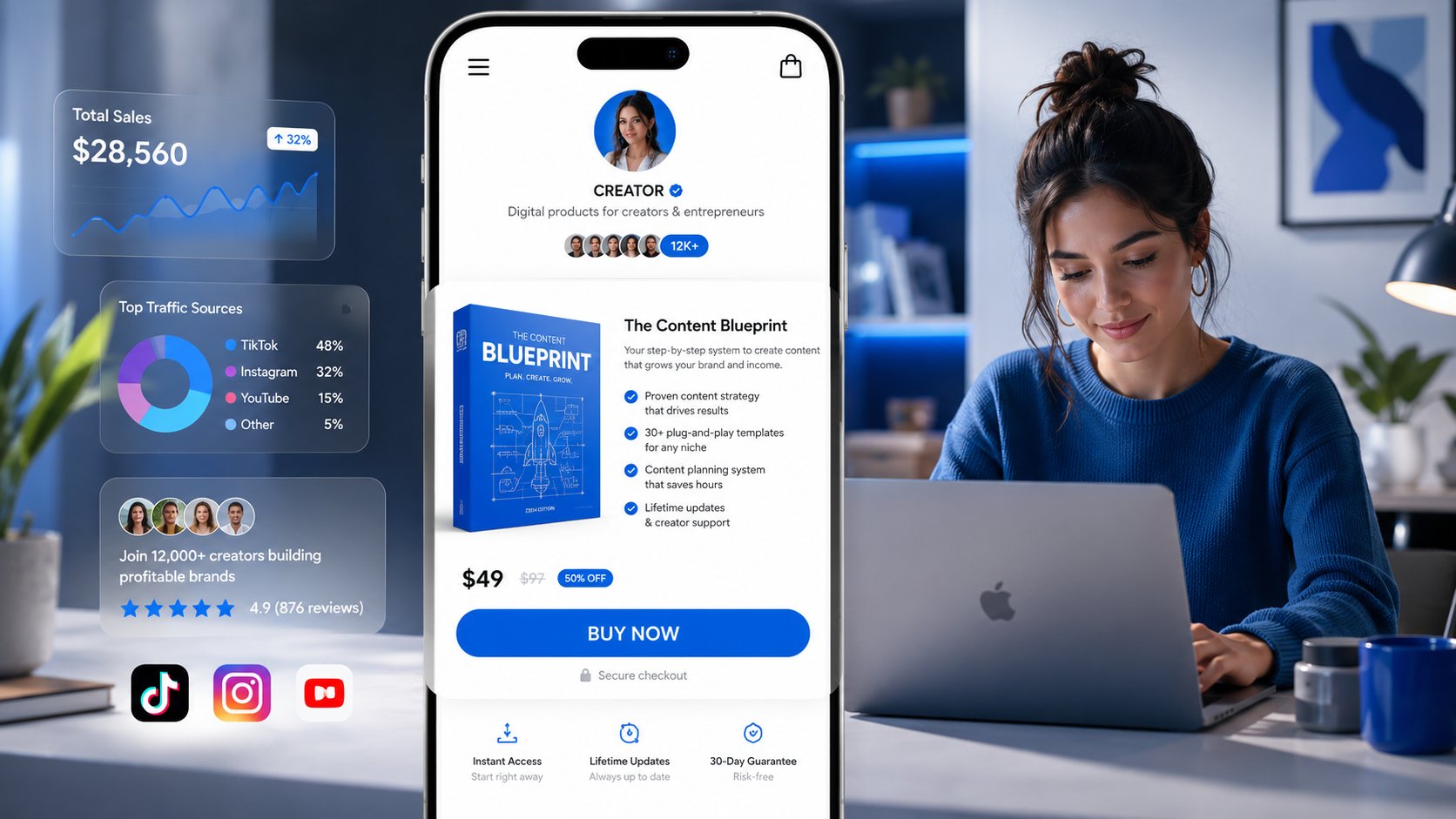
Some creator landing page examples work best when they stop acting like profile hubs and start acting like sales pages. The core idea is simple: the page is built around one featured offer. Visitors understand what is being sold, why it matters, and what to do next within seconds.
That pattern is especially effective for creators selling low-ticket products or simple service packages. If someone taps after seeing a product mention in a Reel, Story, short, or email, the page should continue that momentum instead of resetting the conversation with five equally weighted options.
Why this type of page works
Offer-first pages work when the product is visible immediately, the CTA uses buying language, and the rest of the page answers the objections that block a sale. In practice, that usually means product visuals, a short description, proof that the offer is useful, and maybe one relevant upsell. It rarely means sending people to five other places first.
Copy length is a trade-off here. Too little copy leaves basic questions unanswered, especially for digital products that people cannot inspect physically. Too much copy turns a quick-buy page into a reading assignment. The right middle ground depends on price, audience warmth, and product complexity.
Good fits include:
Musicians: Merch, vinyl, limited drops, fan bundles.
Designers and writers: Templates, guides, swipe files, digital kits.
UGC creators: Service packages with a clear inquiry or purchase path.
Small ecommerce brands: Featured product, bundle, or seasonal offer.
For creators building this style in Linkie, Linkie's ecommerce bio page examples show how a creator page can support sales instead of acting like a simple link directory.
An offer-first page fails when every product gets the same visual priority. The featured offer should dominate the first screen.
Trade-offs
This pattern is excellent for creators with one main product or one timely campaign. It starts to break down when the page needs to support several offers, several audience segments, or a more layered brand story. In those cases, a more flexible builder or a mini-site structure usually performs better.
A lot of creators learned this pattern from older social-commerce tools and templates, including Koji's template gallery. But that should be treated as historical context now: Linktree acquired Koji in December 2023, with broader reporting noting the Koji product and brand were set to be sunset as Linktree absorbed parts of its mini-app ecosystem into its own platform, according to TechCrunch's coverage.
3. The Brand-First Mini-Site with Carrd and Framer
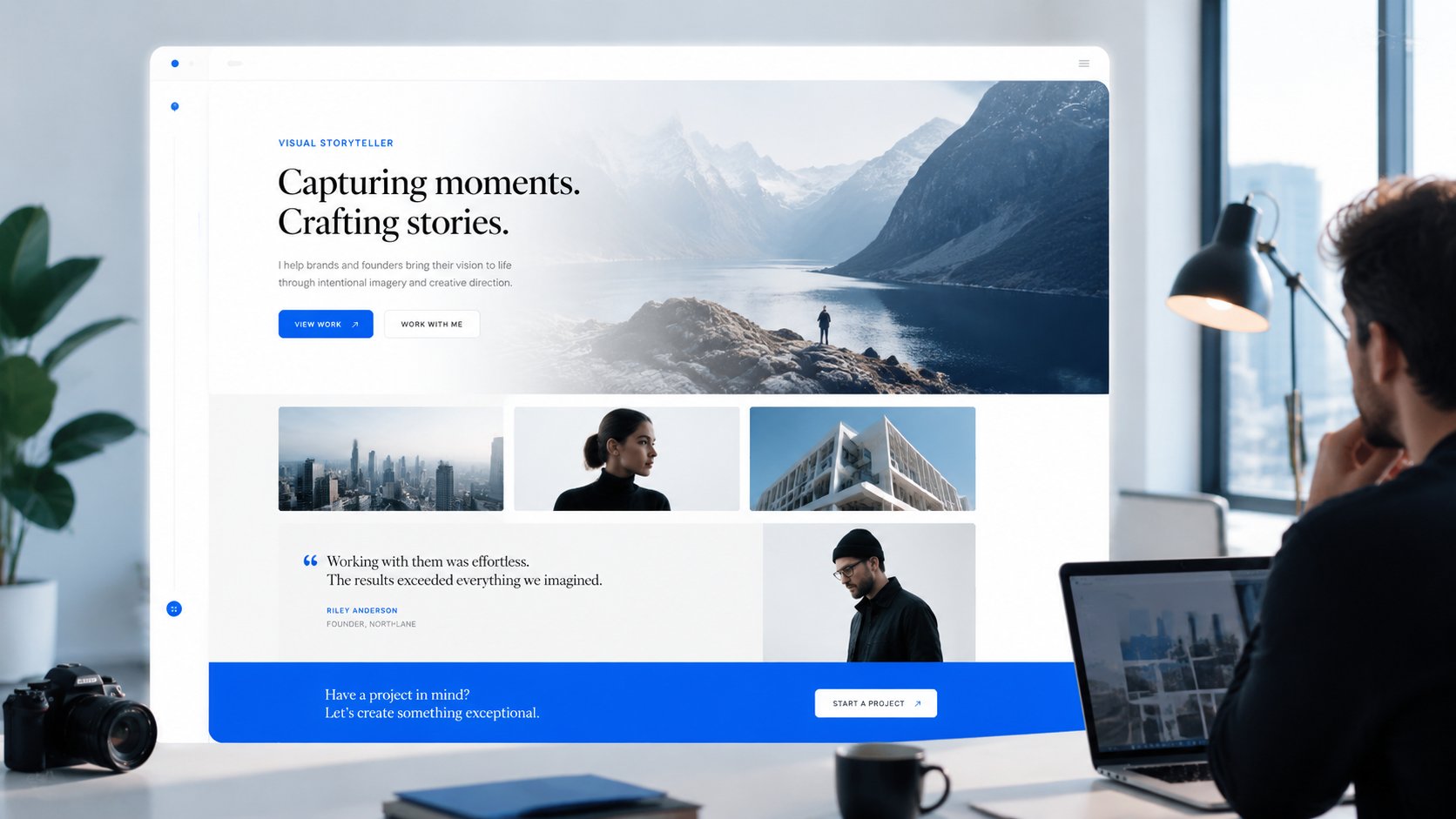
Some creator landing page examples shouldn't look like link-in-bio tools at all. That's where Carrd inspiration from Site Builder Report and Framer-style examples become useful. They show the mini-site approach. Less “tap a button list,” more “visit a compact branded homepage.”
This style works well for photographers, consultants, educators, and freelance creators whose brand equity matters as much as immediate clicks. A custom domain, consistent typography, and cleaner page composition can make a solo creator look more like a serious business.
Best use cases by niche
A mini-site approach usually works best when the visitor needs context before acting.
Photographers: Lead with signature work, then inquiry CTA, then packages or testimonials.
Coaches and consultants: Start with positioning, proof, and a booking CTA.
Writers and podcasters: Feature the latest work, email signup, and media mentions.
Educators: Use a top section for flagship course or newsletter, then supporting resources.
Content mix matters here. Effective landing pages use photos, videos, GIFs, text, and CTAs together instead of relying on static content alone, as noted in Sellbrite's piece on content hubs and landing pages. That's one reason mini-sites often outperform plain button stacks for creators with richer brands.
What usually goes wrong
The common mistake is over-designing the page and under-directing the user. Beautiful type, soft gradients, and clean spacing won't help if the page never answers the basic question: what should the visitor do next?
Another recurring issue is weak mobile prioritization. Creator traffic is heavily mobile, so a page that feels elegant on desktop but buries the CTA below oversized visuals usually underperforms. A brand-first page still needs a conversion-first spine.
4. The Funnel-in-a-Page with ConvertFlow
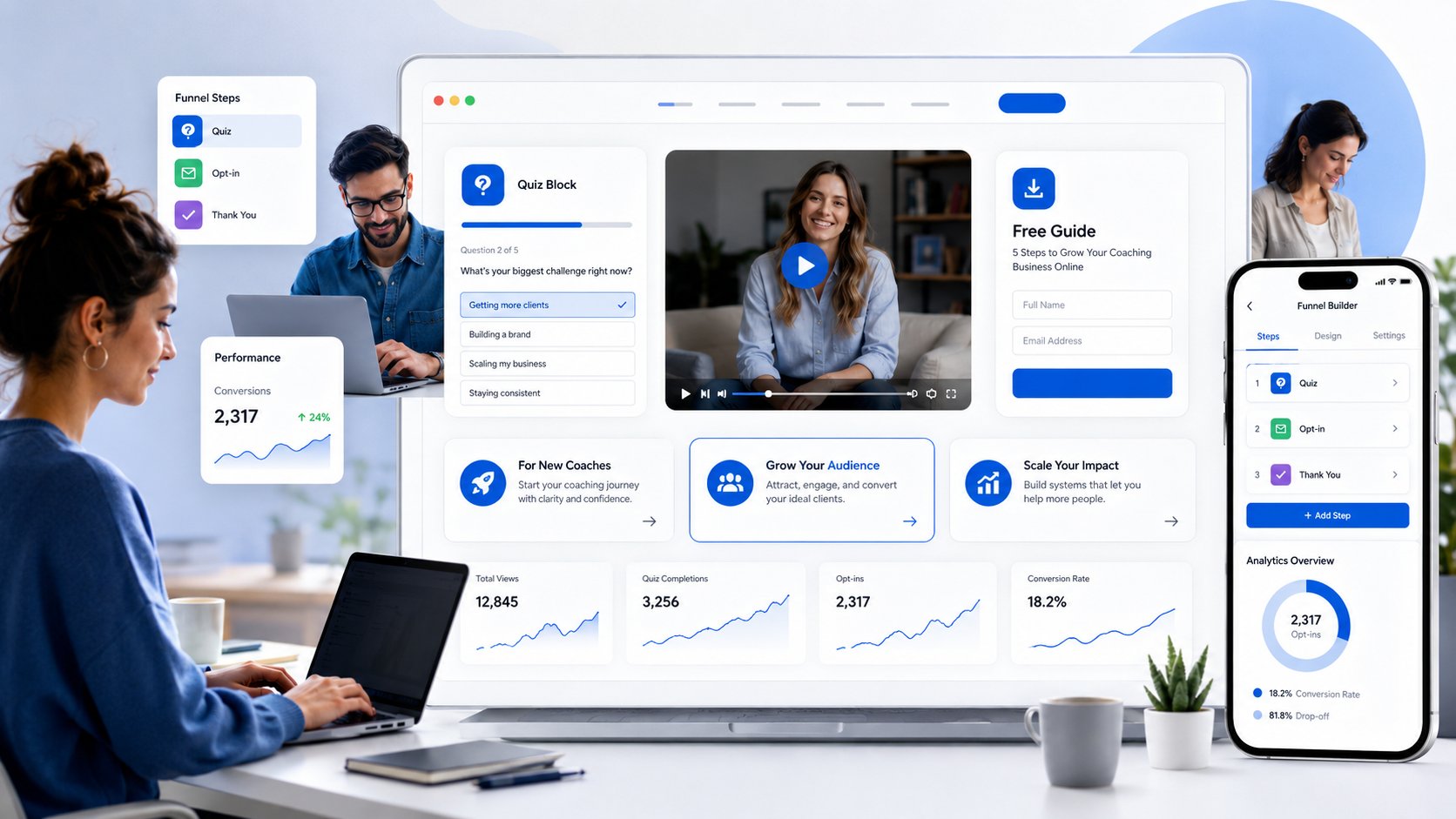
ConvertFlow's creator landing page templates are useful for creators who've moved beyond “click any link” and into actual funnel design. At this stage, the page starts doing segmentation, lead capture, and qualification instead of just navigation.
That matters for coaches, agencies, educators, and SaaS-adjacent creators who need to separate casual interest from real intent. A quiz, multi-step form, or lead magnet flow can make the page feel more interactive and more relevant.
Why interaction can outperform static layouts
The best funnel-in-a-page setups ask for one small action first. Watch the intro video. Take the quiz. Grab the free resource. Join the waitlist. Once the visitor commits, the page can ask for more.
That approach has support from optimization case studies. In one B2B landing page test, aligning ad copy with page content and running systematic CTA tests drove a 79.3% increase in landing page conversions for TruckersReport, while also reducing cost-per-lead by 79%, according to Landingi's optimization case studies. The lesson for creators is simple. Relevance and testing beat guesswork.
Creators who benefit most:
Coaches: Use a quiz or short form to route leads by need or budget.
YouTubers: Embed a teaching video, then offer a related free resource.
Podcasters: Turn listeners into subscribers with a focused lead magnet.
Agencies and consultants: Pre-qualify inquiries before booking calls.
Interactive pages work when the first step feels easy and clearly connected to the visitor's intent.
Trade-offs
ConvertFlow can feel heavy if the creator only needs a clean page with a few strong actions. It's more appropriate when the landing page sits inside a larger acquisition system, not when the page is just a lightweight bio destination.
5. The Mobile-First Baseline with Linktree

Linktree's inspiration gallery is useful for one reason. It shows the default creator bio page pattern the market already recognizes. That familiarity helps clicks from Instagram, TikTok, and YouTube convert into quick next actions. It also hides weak strategy, because a familiar page can still waste attention.
The best Linktree-style pages do less, better. They choose one primary action, support it with two or three secondary paths, and remove everything that reads like personal archive management. I see creators lose conversions here all the time. They treat the page like storage instead of triage.
What to copy and what to avoid
The core lesson is not "use more links." It is "reduce decision load on a small screen." On mobile, visitors do not study. They scan, tap, and leave. A page with one obvious first action usually outperforms a page where every button has the same visual weight, the same urgency, and the same claim on attention.
That is why Linktree works best as a baseline, not an endpoint. Its strongest examples are structured around quick comprehension. Recognizable profile image. Clear promise in the bio. One current offer at the top. A few supporting links below. Sometimes an embed or featured block, if it earns its place.
Useful rules for mobile-first creator pages:
Make the first block do the revenue job: Put the newsletter, product, booking link, or latest campaign first.
Group links by intent: Separate "work with me," "watch," and "shop" so visitors do not have to decode your priorities.
Cut expired clutter fast: Old launches, dead discounts, and stale media mentions make the page feel abandoned.
Keep enough brand signal: Color, voice, and imagery should match the creator people came for.
Creators comparing a simple link stack with more customizable tools can review this comparison of the best link in bio tools for creators.
Trade-offs
Linktree is a strong fit for creators who need speed, familiarity, and low setup effort. It starts to break down when the page needs hierarchy that a plain list cannot express. That usually happens when a creator is selling multiple offers, collecting leads, segmenting audiences, or trying to make the page feel like a real brand touchpoint instead of a utility screen.
6. The All-in-One with Linkie
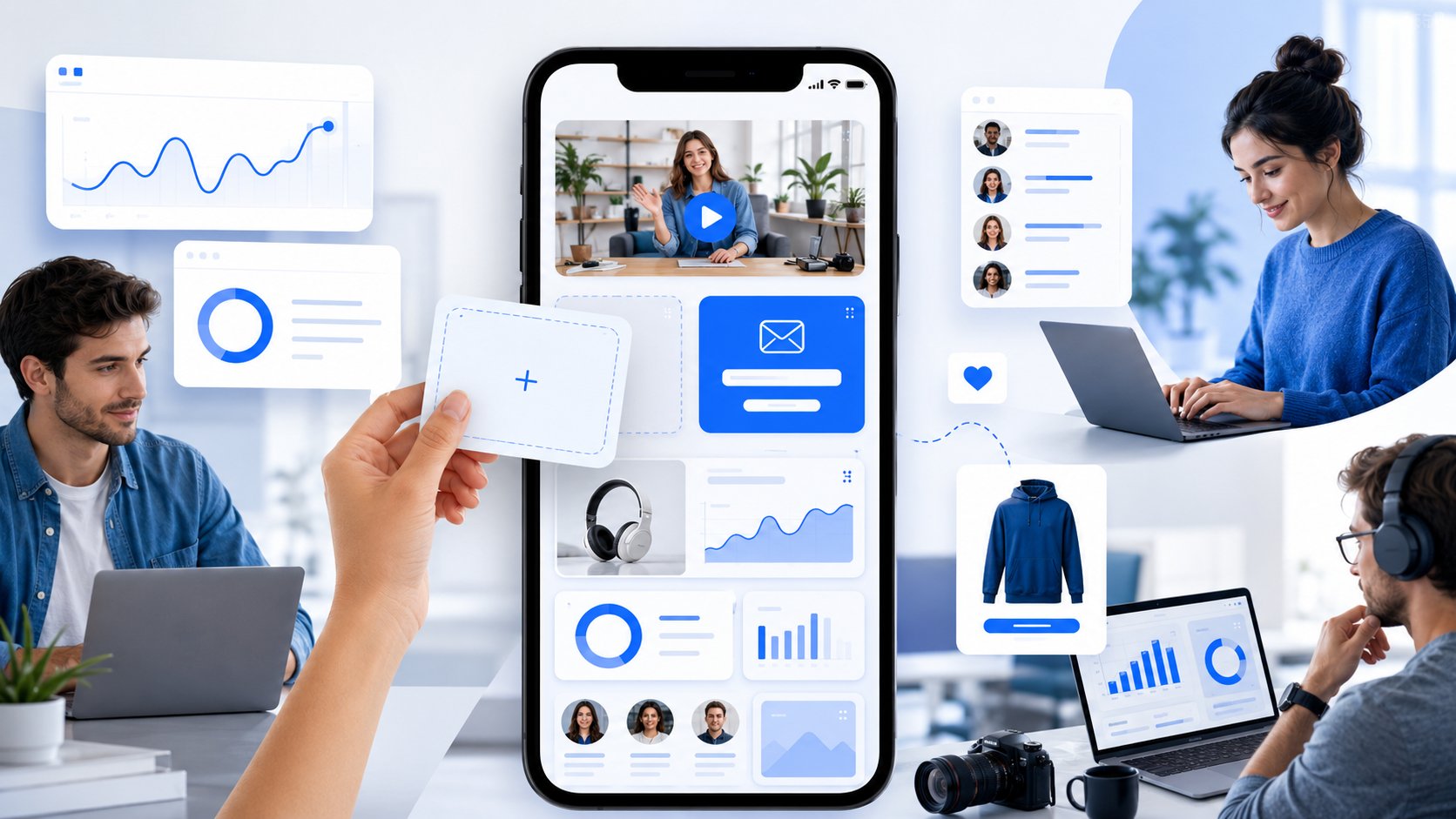
Linkie is most compelling when a creator wants more than a vertical link stack but doesn't want to build a full custom site. The core difference is layout control. Draggable and resizable cards let creators emphasize what matters instead of pretending every destination deserves the same attention.
That sounds like a design feature, but it's really a conversion feature. A creator selling a digital product can place the featured offer above the fold, use a larger visual card for it, add a sticky banner for a launch, and move secondary links lower. A YouTuber can pair an embedded video with newsletter signup. A multi-brand creator can separate personal work and business projects across multiple Linkies under one account.
Best layout patterns by creator type
The strongest Linkie pages usually follow a simple hierarchy. Clear hero. One featured CTA. Embedded content. Product or resource cards. Social proof. Secondary links last.
That pattern works across niches:
YouTubers: Hero, latest video embed, newsletter form, resource cards, socials.
Instagram creators: Featured offer, shoppable cards, brand proof, secondary links.
TikTok educators: Lead magnet first, short embedded content second, consultation or course CTA third.
Musicians: New release or ticket CTA first, embedded music or video next, merch and tour info below.
Photographers and designers: Visual portfolio cards first, inquiry CTA second, availability or packages below.
Coaches and consultants: Positioning statement, booking CTA, testimonial block, lead magnet, then supporting links.
Podcasters and writers: Latest episode or article first, email capture second, archives lower.
Field note: Pages that highlight one primary CTA, reduce competing links, and combine visual content with social proof consistently outperform pages that present every link equally.
That matches broader creator behavior. An underserved angle in existing coverage is the rise of dynamic, multi-content creator pages. Data cited in CXL's discussion around landing page examples notes that 78% of creators now use multi-content landing pages, while only 12% of top-ranking articles on creator landing page examples mention drag-and-drop customization or content reordering. That gap is obvious in practice. Most advice still assumes a static bio page.
Features that actually matter
Linkie includes tools that solve common creator bottlenecks without forcing a full website rebuild.
Draggable and resizable cards: Better hierarchy than identical button stacks.
Custom thumbnails and sticky banners: Useful for launches, drops, featured content, and seasonal promos.
Embedded content: Strong for YouTube videos, social posts, products, and richer discovery.
Email collection: Useful because many creators need owned audience growth, not just outbound clicks.
Custom domains: Better for creators building long-term brand equity.
Detailed analytics: Helpful for seeing page views, traffic sources, unique clicks, and card-level engagement.
Multiple Linkies under one account: Practical for agencies, startups, and creators with separate projects.
Public API: Valuable for teams that want programmatic content management or analytics retrieval.
Two-way Publer integration: Keeps published content in sync with the landing page, which helps reduce stale links.
A rarely addressed creator question is how to collect email subscribers and sync them directly from a landing page. Data cited in Agile CRM's roundup of landing page examples says 65% of creators report email collection is a top priority, yet only 3% of landing page example articles include direct spreadsheet sync or built-in email capture. Linkie addresses that directly with email collection and Google Sheets sync.
Trade-offs
Linkie's public pages don't spell out every pricing boundary clearly, so some creators will want more upfront detail before committing to advanced features. Also, capabilities like custom domains and advanced analytics sit behind paid plans. Still, the overall direction is right for creators who need brand control, embedded media, analytics, and automation without moving into a full custom site stack.
Creator Landing Pages, 6-Example Comparison
Example | Implementation complexity | Resource requirements | Expected outcomes | Ideal use cases | Key advantages | Key limitations |
|---|---|---|---|---|---|---|
The Strategic Foundation: Unbounce's Example Swipe File | Moderate, analysis-driven, requires translation into your builder | Time to study teardowns; design/UX skills to implement patterns | Better conversion-focused layouts and CTA copy | Creators optimizing conversion and learning UX principles | Deep teardowns, benchmarks, evidence-based insights | Not a template library; broader focus than link-in-bio |
The Offer-First Sales Page Pattern | Low–Moderate, depends on builder and checkout setup | Product assets, a clear offer, light copy/design work | Faster purchase paths with less friction | Creators selling digital goods, merch, services, or limited offers | Keeps attention on one featured product or package | Less suitable for creators with several offers or audience segments |
The Brand-First Mini-Site: Carrd & Framer Examples | Moderate–High, bespoke design work required | Design comfort, possible paid plan for custom domain and features | Branded, professional single-page sites that build equity | Coaches, freelancers, photographers, portfolio creators | Custom domain support, performant branded layouts | No ready-to-use templates; requires design effort and paid features |
The Funnel-in-a-Page: ConvertFlow's Templates | Moderate–High, multi-step logic and conditional flows | Subscription (usage-based), time to configure forms/quizzes | Interactive funnels, better segmentation and lead capture | Creators needing quizzes, gated offers, and on-page funnels | Drag-and-drop templates, built-in conversion elements | Pricing opaque/volume-based; overkill for simple link hubs |
The Mobile-First Standard: Linktree's Inspiration Gallery | Low, simple, mobile-focused templates and examples | Minimal setup; free tier available, paid for extra features | Clear, scannable mobile link hubs with familiar UX | Creators who need a quick link list for social profiles | Mobile-first clarity, proven profile examples | Platform-specific constraints; risk of becoming a link dump |
The All-in-One: Linkie's Flexible Layouts | Moderate, visual builder with drag/resizable cards | Account required; advanced features (domains/analytics) often paid | Branded, conversion-oriented pages with granular analytics | Creators/agencies wanting flexible layouts and growth tools | True visual flexibility, generous free tier, integrations & analytics | Public pricing/limits not fully transparent; some features gated behind paid plans |
Bio Link Landing Pages vs Traditional Landing Pages
A bio link landing page and a traditional landing page are built for different visitors. A traditional landing page catches one campaign’s traffic and pushes one conversion; it can assume the visitor arrived with intent. A bio link page catches everyone who taps your profile — some ready to buy, most just curious — so it has to route rather than convert. That is why stripping a bio link page down to a single CTA usually backfires, and why stuffing a campaign landing page with eight links does too.
Creator Landing Page Checklist
A creator landing page usually underperforms for ordinary reasons, not because the creator picked the wrong tool. Too many links compete for attention. The page asks for a sale, a subscribe, a DM, a booking, and a YouTube click all at once. Old launches stay pinned long after they matter. The result is predictable. Traffic arrives with intent, then stalls because the page never makes a clear next step obvious.
Small structural changes often beat a full redesign. The Hoop Studio's landing page layout case studies show that simplifying cluttered content and removing unnecessary elements increased opt-ins for Nyraju Skin Care, and shortening form fields increased submissions. That pattern shows up on creator pages constantly. Pages convert better when each section earns its place.
The practical question is not “does this page look good?” It is “does this page help the right visitor do the right thing fast?”
Use this checklist that way.
Creator Landing Page Checklist
Define one primary goal: Pick the action that matters most right now. Newsletter signup, product sale, booking request, stream click, or lead capture.
Build clear hierarchy: Use size, spacing, contrast, and placement so the primary CTA wins attention first.
Write a useful hero section: Show a strong profile image and a short line that explains who you help, what you make, or what visitors get here.
Match the traffic source: A visitor from TikTok, YouTube, Instagram, email, or paid traffic should land on a page that continues the same promise.
Use embedded content with intent: Add a video, social proof asset, product embed, or press mention only when it helps the conversion decision.
Collect emails on the page: Sending people off-page creates drop-off. If audience ownership matters, place the form directly on the landing page.
Place proof near the decision point: Testimonials, client logos, audience size, media mentions, or results work best close to the CTA, not buried in the footer.
Demote secondary links: Archive pages, outdated launches, and lower-value destinations belong lower on the page.
Check mobile first: Creator traffic is heavily mobile. The first screen needs to communicate the offer and the next action immediately.
Remove outdated links every week: Expired promos make the page feel neglected and reduce trust fast.
Review analytics regularly: Look at clicks, scroll depth, conversion paths, and traffic source quality. Then cut what gets ignored.
Use different layouts for different business models: A musician selling tickets, a coach booking calls, and a photographer showcasing work should not use the same page structure.
The bigger pattern across all six examples is simple. High-converting creator pages do not try to be everything at once. They choose a job, shape the page around that job, and make the next step easy to understand.
That is the essential checklist. Reduce choice, strengthen intent, and keep the page aligned with the business goal behind the traffic.